Automate the web with Browser MCP
Navigate websites, interact with dynamic pages, run JavaScript, handle multi-step browser workflows, and work with protected websites through the 2Captcha MCP Server.
 Перейти на головну сторінку
Хмарний браузер з обходом антибот-захисту для AI-агентів та складного скрапінгу.
Датасет браузерних відбитків для автоматизації
Доступ до захищених сторінок для веб-скрапінгу
ПЗ для автоматизації, уже інтегроване з нашим сервісом
Оновлення сервісу та нові функції
Інструкції, приклади та гайди
Тестові форми з демо капч

Перегляньте репозиторій GitHub для SDK, прикладів коду та готових прикладів інтеграції
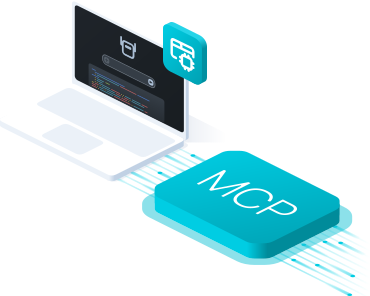
Browser MCP server gives AI agents access to a managed headless browser for navigating websites, interacting with dynamic pages, filling forms, clicking elements, and extracting data through MCP.
Your agent can launch browser sessions automatically when direct page access is not enough, with built-in proxy, captcha solving, and anti-bot support.



Give your AI agent a browser task. 2Captcha Browser MCP Server launches a managed browser, handles website access, and returns the result.
Ask your AI to open a website, navigate pages, click elements, fill forms, or extract data.
Browser MCP Server starts a managed headless browser session for the requested task.
The agent navigates pages, executes JavaScript, clicks elements, fills forms, and works with dynamic content.
Proxy access, anti-bot checks, browser fingerprints, and captcha challenges are handled when required.
Your agent receives page content, extracted data, browser output, or task results and continues the workflow.
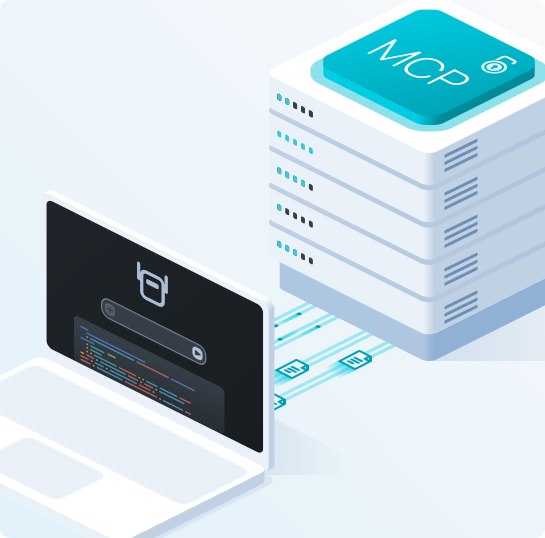
Connect Browser MCP through the 2Captcha MCP Server using the hosted server or run the official package locally.
Hosted MCP: Connect directly to the hosted 2Captcha MCP Server without installing or running your own server.
Local MCP: Run the official @2captcha/mcp package locally and enable the browser tool group.
MCP clients: Works with Claude Code, Claude Desktop, Cursor, Codex, VS Code, and other MCP-compatible clients.
Connect directly to the hosted 2Captcha MCP Server using your API key.
URL: https://mcp.2captcha.com/mcp
Authorization: Bearer YOUR_API_TOKENConnect Claude Code directly to the hosted 2Captcha MCP Server.
claude mcp add --transport http 2captcha https://mcp.2captcha.com/mcp \
--header "Authorization: Bearer YOUR_API_TOKEN"Run the official @2captcha/mcp package locally with npx.
{
"mcpServers": {
"2captcha": {
"command": "npx",
"args": ["@2captcha/mcp"],
"env": {
"API_TOKEN": "YOUR_API_TOKEN",
"GROUPS": "browser"
}
}
}
}Run the official @2captcha/mcp package locally with npx.
{
"mcpServers": {
"2captcha": {
"command": "npx",
"args": ["@2captcha/mcp"],
"env": {
"API_TOKEN": "YOUR_API_TOKEN",
"GROUPS": "browser"
}
}
}
}Run the official @2captcha/mcp package locally with npx.
{
"servers": {
"2captcha": {
"command": "npx",
"args": ["@2captcha/mcp"],
"env": {
"API_TOKEN": "YOUR_API_TOKEN",
"GROUPS": "browser"
}
}
}
}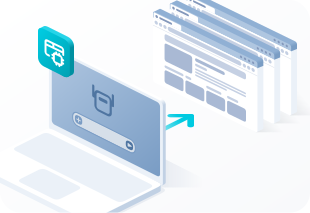
When a task requires real browser interaction, your AI agent can navigate pages, click, type, scroll, run JavaScript, capture screenshots, and work with dynamic content through Browser MCP.
Navigate, click, type, select options, scroll, hover, and perform multi-step browser actions.
Get page text or HTML, run JavaScript, capture screenshots, and save pages as PDF files.
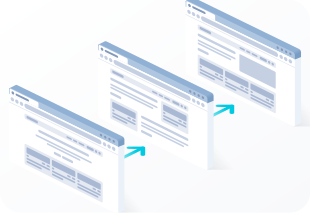
Browser MCP gives AI agents a persistent managed browser session for tasks that require multiple steps, dynamic pages, or authenticated website access.
Keep cookies and session state while your agent moves between pages and completes multi-step workflows.
Use proxy support, browser automation, and captcha solving when websites require additional access handling.
Navigate websites, interact with dynamic pages, run JavaScript, handle multi-step browser workflows, and work with protected websites through the 2Captcha MCP Server.