




 Browser API
 Scraper API
 Unlocker API
Scraper API

No risk. Pay only for successful requests.
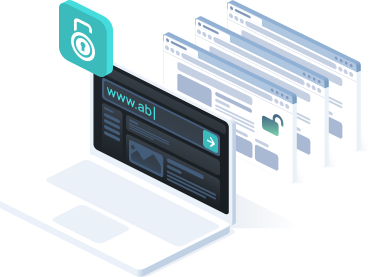
- Easy to integrate
- Anti-detect built in
- Scrape on demand via API
- Handle captcha challenges inside browser workflows
- Bulk request handling
- Extract content into clean structured data
Contact sales

 +973 3402 2155
 t.me/captchasupport_bot
 support@2captcha.com
 +1 (716) 486-3133
A full scraping automation stack in one API

Browser fingerprinting
Manage browser fingerprints, headers, cookies, and session signals to make automation workflows more stable.

Automated captcha solving
Handle captcha challenges in the background, including reCAPTCHA, hCaptcha, Turnstile, and other common verification flows.

Integrated proxy management
Use residential and mobile proxies with IP rotation, geo-targeting, and sticky sessions for large-scale data collection.

Easy integration
Send standard HTTP requests from any backend, script, or data pipeline without managing WebSocket connections, CDP sessions, or browser processes.

Auto-scaling infrastructure
Run browser automation in the cloud without managing local Chrome instances, Docker containers, or browser servers.

JavaScript rendering and debugging
Render dynamic websites, wait for DOM selectors and network activity, and return fully loaded HTML or structured data.
How to work with the 2Captcha Scraping API
Scraping API Integration Workflow
- Send a request
Send an HTTP request containing the target URL and extraction parameters like geolocation, JS rendering, and wait conditions.
- Allocate resources
The API routes the connection through an optimized proxy network and instantiates an ephemeral headless browser environment.
- Execute DOM
The remote instance navigates to the target, executes client-side JavaScript, and resolves network requests until the page is fully loaded.
- Mitigate defenses
The system handles TLS fingerprinting and automatically bypasses WAFs (Cloudflare, Akamai, Imperva) and CAPTCHA challenges on the fly.
- Receive data
Your application synchronously receives the serialized DOM, raw HTML, or parsed JSON directly in the HTTP response.
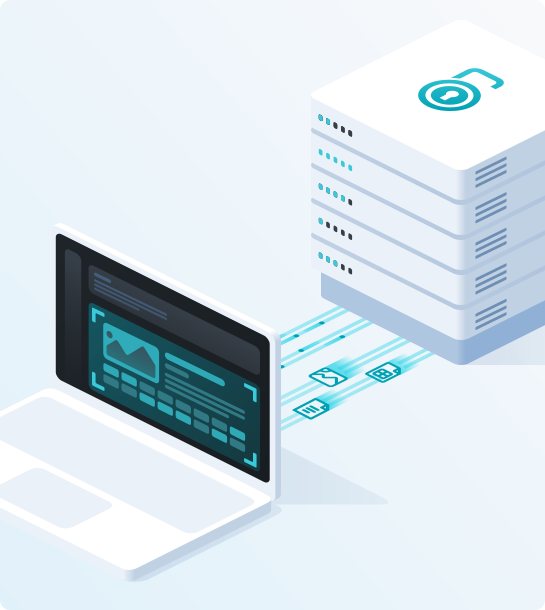
Scraping API vs direct scraping
How it works
Send a request to the API endpoint and extract data without managing backend infrastructure or headless browsers. The Scraping API automatically handles IP rotation, JS rendering, WAFs, and captcha bypass, returning clean HTML or structured data directly to your application or pipeline.
 Send the API request
Configure a single HTTP request. Pass the target URL along with optional extraction parameters. You can define specific geo-targeting, enable JavaScript rendering, set custom HTTP headers, or define strict wait conditions (e.g., waiting for a specific DOM selector) directly within the request payload.
 Route and allocate
The API dynamically assigns an optimal IP from a proxy pool based on your geo-targeting settings. Simultaneously, it instantiates an isolated, ephemeral headless browser environment on our servers, ensuring your local infrastructure remains unburdened.
 Render the target website
The remote instance navigates to the URL and executes all client-side JavaScript. It handles XHR/fetch requests, renders dynamic elements, and processes Single Page Applications (SPAs). This ensures that lazy-loaded content or data hidden behind JS-heavy logic is fully rendered.
 Handle access challenges
Anti-bot systems are neutralized automatically. The API manages TLS/JA3 fingerprint spoofing, session cookies, and headers. If a WAF (Cloudflare, Akamai) or a CAPTCHA intercepts the request, internal solvers clear the challenge on the fly without requiring custom retry logic in your code.
 Extract the data
Once the page is fully rendered and challenges are cleared, your application receives a synchronous HTTP response. This response contains the clean, serialized HTML or raw JSON data. You can immediately ingest this output into your parsers, LLM agents, or internal databases.

Easy-to-integrate
The Scraping API is a scalable extraction engine built for developers and AI agents alike.
SDK Libraries: Use native SDKs and ready-made wrappers for Python, Node.js, Go, and PHP to connect faster, manage requests, handle responses, and integrate scraping workflows.
AI-ready: Use MCP (Model Context Protocol) to integrate with Claude Desktop, Cursor, and autonomous AI agents. Built-in WAF, captcha, and IP-ban bypass keeps workflows running.
Test the API directly from your terminal using standard HTTP POST requests to verify extraction logic and payloads.
BASE_URL="https://scraper.2captcha.com"
API_KEY="<YOUR_API_KEY>"
curl -i -X POST "$BASE_URL/tasks/sync" \
-H "Authorization: Bearer $API_KEY" \
-H "Content-Type: application/json" \
-d '{
"task_type": "scrape",
"url": "https://example.com",
"data_format": "raw",
"format": "json"
}'Integrate data extraction into your data science, ML, or backend pipelines using our SDK or the standard requests library.
import os
import requests
base_url = "https://scraper.2captcha.com"
api_key = os.environ["SCRAPER_API_KEY"]
response = requests.post(
f"{base_url}/tasks/sync",
headers={
"Authorization": f"Bearer {api_key}",
"Content-Type": "application/json",
},
json={
"task_type": "scrape",
"url": "https://example.com",
"data_format": "raw",
"format": "json",
},
timeout=120,
)
response.raise_for_status()
result = response.json()
print(result["body"])
print(response.headers.get("x-debug"))Fetch dynamic content and bypass protections in your JavaScript/TypeScript applications natively or via our npm package.
const baseUrl = 'https://scraper.2captcha.com';
const apiKey = process.env.SCRAPER_API_KEY;
const response = await fetch(baseUrl + '/tasks/sync', {
method: 'POST',
headers: {
Authorization: 'Bearer ' + apiKey,
'Content-Type': 'application/json',
},
body: JSON.stringify({
task_type: 'scrape',
url: 'https://example.com',
data_format: 'raw',
format: 'json',
}),
});
if (!response.ok) {
throw new Error('Scraper API error: ' + response.status);
}
const result = await response.json();
console.log(result.body);
console.log(response.headers.get('x-debug'));Implement high-concurrency scraping workflows using our native module or standard net/http routines.
package main
import (
"bytes"
"encoding/json"
"fmt"
"io"
"net/http"
"os"
"time"
)
func main() {
payload, _ := json.Marshal(map[string]any{
"task_type": "scrape",
"url": "https://example.com",
"data_format": "raw",
"format": "json",
})
req, _ := http.NewRequest(http.MethodPost, "https://scraper.2captcha.com/tasks/sync", bytes.NewReader(payload))
req.Header.Set("Authorization", "Bearer "+os.Getenv("SCRAPER_API_KEY"))
req.Header.Set("Content-Type", "application/json")
client := &http.Client{Timeout: 120 * time.Second}
response, err := client.Do(req)
if err != nil {
panic(err)
}
defer response.Body.Close()
body, _ := io.ReadAll(response.Body)
fmt.Println(string(body))
fmt.Println("x-debug:", response.Header.Get("x-debug"))
}Connect the API directly to LLM chains, RAG pipelines, or AI frameworks using native MCP support or specialized endpoints.
{
"task_type": "scrape",
"url": "https://example.com",
"data_format": "markdown",
"format": "json"
}Use cases
The Scraping API handles access challenges so you can focus on the data.
Data Extraction & E-commerce
Legitimate public data gathering to scale business processes and analytics without the risk of IP blocks.
Market & Price Intelligence
Extract competitor pricing and inventory from marketplaces (Amazon, Walmart) in real-time. Built-in proxies easily bypass aggressive retail WAFs.
SEO Monitoring & SERP
Bulk parse Google search results for rank tracking. Choose your exact geolocation (country/city) and forget about search engine captchas.
AI & LLM Data Training
Provide your neural networks and AI agents with uninterrupted access to fresh internet data.
RAG & Agent Tooling
Integrate via Model Context Protocol (MCP). Enable your LLM agent to gather information from any protected website, receiving clean Markdown or JSON in return.
Dataset Gathering
Automated collection of large text and visual datasets for training ML models. The API handles Cloudflare and DataDome challenges during the scraping process.
QA & Security Testing
Reliable tools for developers and QA engineers to automate routine tasks and validate system integrity.
End-to-End (E2E) Testing
Seamless testing of user flows (registration, checkout) in CI/CD pipelines using Playwright or Puppeteer without facing roadblocks in pre-production.
WAF & Bot-Protection Stress Test
Emulate complex traffic scenarios to test infrastructure resilience and validate the response of bot protection systems (Akamai, Imperva) under heavy load.
Compliance and Responsible Use
We are committed to ensuring that our technology is used lawfully, responsibly, and for legitimate purposes. We do not support, authorize, or tolerate any illegal activity, abuse, or misuse of our products and services.
Our services are intended to support lawful access to publicly available information, including use cases that contribute to research, transparency, innovation, and the development of useful data-driven solutions. We strictly oppose the collection, processing, or use of unauthorized, restricted, confidential, or sensitive information without proper legal basis or permission.
Users are solely responsible for ensuring that their use of our services complies with all applicable laws, regulations, contractual obligations, website terms, privacy requirements, and third-party rights.
If you believe that our services are being used in violation of applicable law, our policies, or the rights of others, please contact us and provide relevant details. We review abuse reports carefully and may take appropriate action, including restricting or terminating access to our services where necessary.
To strengthen transparency, user control, and privacy protection, we maintain a dedicated Privacy Center where users can access information about data practices, privacy rights, and available control options.





Social Media
Interact with social media safely while maintaining high account trust scores.
Persistent Sessions
Utilize Sticky Sessions (IP retention) and persistent profiles (cookie storage). Your script will behave and look exactly like a regular user browsing from a specific mobile device.
Lead Generation
Collect public contacts and profiles for outreach campaigns, avoiding shadowbans and account restrictions thanks to flawless kernel-level browser fingerprinting.