Connect your AI to web search with Web Search MCP
Search the web, discover relevant sources, retrieve current information, and give AI agents direct access to web results through the 2Captcha MCP Server.
 إلى الصفحة الرئيسية
متصفح بدون واجهة مضاد للروبوتات لوكلاء الذكاء الاصطناعي والاستخراج المتقدم.
بيانات بصمات المتصفح للأتمتة
الوصول إلى الصفحات المحمية لاستخراج البيانات من الويب
برمجيات الأتمتة المتكاملة مسبقًا مع خدمتنا
تحديثات الخدمة والميزات الجديدة
شروحات وأمثلة وأدلة
نماذج تجريبية تحتوي على عرض كابتشا توضيحي

استعرض مستودع GitHub للحصول على حزم SDK وعينات الكود وأمثلة التكامل الجاهزة للاستخدام
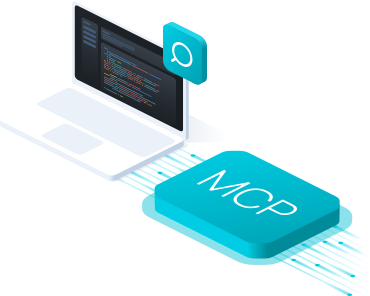
Web Search MCP Server gives AI agents direct access to web search, allowing them to find relevant pages, retrieve fresh information, and collect web content through a single MCP server.
Your agent can use the Web Search MCP Server automatically when it needs current information, external sources, or additional context from the internet.



Give your AI agent a search task. 2Captcha Web Search MCP Server searches the web, retrieves relevant pages, and returns useful results.
Ask your AI to find current information, research a topic, discover sources, or locate relevant pages.
Web Search MCP Server sends the query to web search and finds the most relevant results.
The server opens selected results and collects the page content needed for the task.
Relevant text, links, and structured page data are processed and prepared for the agent.
Your agent receives search results and extracted web content and continues the workflow.
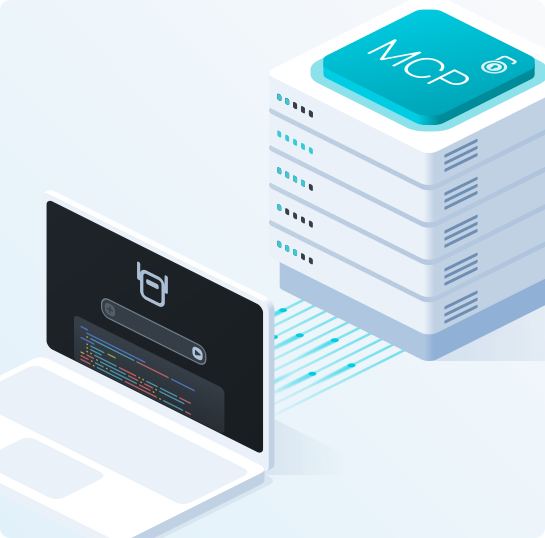
Connect Web Search MCP through the 2Captcha MCP Server using the hosted server or run the official package locally.
Hosted MCP: Connect directly to the hosted 2Captcha MCP Server without installing or running your own server.
Local MCP: Run the official @2captcha/mcp package locally and use the parsing tool group for web search.
MCP clients: Works with Claude Code, Claude Desktop, Cursor, Codex, VS Code, and other MCP-compatible clients.
Connect directly to the hosted 2Captcha MCP Server using your API key.
URL: https://mcp.2captcha.com/mcp
Authorization: Bearer YOUR_API_TOKENConnect Claude Code directly to the hosted 2Captcha MCP Server.
claude mcp add --transport http 2captcha https://mcp.2captcha.com/mcp \
--header "Authorization: Bearer YOUR_API_TOKEN"Run the official @2captcha/mcp package locally with npx.
{
"mcpServers": {
"2captcha": {
"command": "npx",
"args": ["@2captcha/mcp"],
"env": {
"API_TOKEN": "YOUR_API_TOKEN",
"GROUPS": "parsing"
}
}
}
}Run the official @2captcha/mcp package locally with npx.
{
"mcpServers": {
"2captcha": {
"command": "npx",
"args": ["@2captcha/mcp"],
"env": {
"API_TOKEN": "YOUR_API_TOKEN",
"GROUPS": "parsing"
}
}
}
}Run the official @2captcha/mcp package locally with npx.
{
"servers": {
"2captcha": {
"command": "npx",
"args": ["@2captcha/mcp"],
"env": {
"API_TOKEN": "YOUR_API_TOKEN",
"GROUPS": "parsing"
}
}
}
}
Give your AI agent access to current web results through Web Search MCP. Search by query, discover relevant pages, and retrieve useful sources for research and agent workflows.
Search the web and return ranked results with titles, URLs, and snippets.
Give your agent access to current external information when local context is not enough.

Web Search MCP helps AI agents move from a search query to relevant sources and page content without switching between separate tools.
Find websites, articles, product pages, documentation, and other relevant URLs for a task.
Open selected results and collect the web content your agent needs for further analysis or extraction.
Search the web, discover relevant sources, retrieve current information, and give AI agents direct access to web results through the 2Captcha MCP Server.