Turn websites into structured data with MCP Web Scraper
Scrape web pages, extract structured data, process dynamic content, and collect data across multiple URLs through the 2Captcha MCP Server.
 A la página de inicio
Navegador headless anti-bot para agentes de IA y scraping avanzado.
Datos de huellas del navegador para automatización
Acceso a páginas protegidas para web scraping
Software de automatización ya integrado con nuestro servicio
Actualizaciones del servicio y nuevas funciones
Tutoriales, ejemplos y guías
Formularios de muestra con demo de captcha

Explora el repositorio de GitHub para SDK, ejemplos de código e integraciones listas para usar
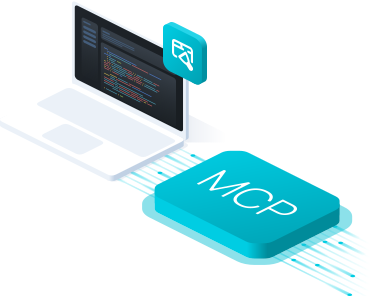
MCP Web Scraper Server gives AI agents direct access to web scraping, allowing them to extract page content, collect structured data, and process websites through a single MCP server.
Your agent can use the scraper automatically to collect data from static or dynamic pages, with built-in support for captcha solving, anti-bot handling, and proxy access.



Give your AI agent a scraping task. MCP Web Scraper Server accesses the website, extracts the required data, and returns structured results.
Ask your AI to collect page content, extract specific fields, scrape lists, or gather structured web data.
MCP Web Scraper Server fetches the target page directly or uses a browser session when needed.
The server renders dynamic content, follows page structure, and prepares the content for extraction.
Requested text, links, attributes, tables, and structured fields are extracted from the page.
Your agent receives clean structured data and continues the workflow.
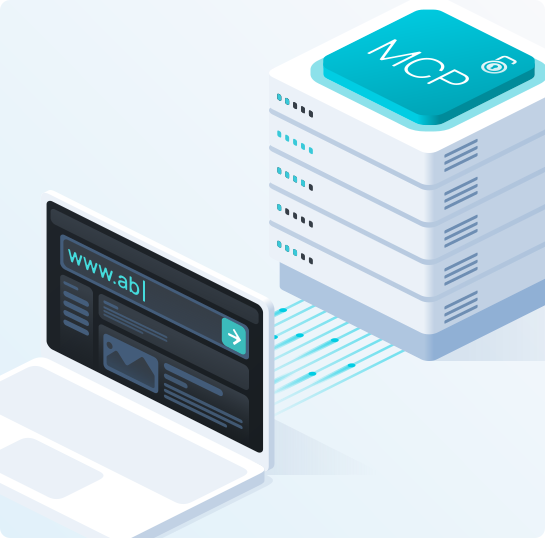
Connect MCP Web Scraper through the 2Captcha MCP Server using the hosted server or run the official package locally.
Hosted MCP: Connect directly to the hosted 2Captcha MCP Server without installing or running your own server.
Local MCP: Run the official @2captcha/mcp package locally and use the parsing tool group for web scraping.
MCP clients: Works with Claude Code, Claude Desktop, Cursor, Codex, VS Code, and other MCP-compatible clients.
Connect directly to the hosted 2Captcha MCP Server using your API key.
URL: https://mcp.2captcha.com/mcp
Authorization: Bearer YOUR_API_TOKENConnect Claude Code directly to the hosted 2Captcha MCP Server.
claude mcp add --transport http 2captcha https://mcp.2captcha.com/mcp \
--header "Authorization: Bearer YOUR_API_TOKEN"Run the official @2captcha/mcp package locally with npx.
{
"mcpServers": {
"2captcha": {
"command": "npx",
"args": ["@2captcha/mcp"],
"env": {
"API_TOKEN": "YOUR_API_TOKEN",
"GROUPS": "parsing"
}
}
}
}Run the official @2captcha/mcp package locally with npx.
{
"mcpServers": {
"2captcha": {
"command": "npx",
"args": ["@2captcha/mcp"],
"env": {
"API_TOKEN": "YOUR_API_TOKEN",
"GROUPS": "parsing"
}
}
}
}Run the official @2captcha/mcp package locally with npx.
{
"servers": {
"2captcha": {
"command": "npx",
"args": ["@2captcha/mcp"],
"env": {
"API_TOKEN": "YOUR_API_TOKEN",
"GROUPS": "parsing"
}
}
}
}
Give your AI agent direct access to web scraping through MCP. Collect readable page content, raw HTML, links, and structured data from websites.
Fetch a URL and return clean Markdown or raw HTML for further processing by your agent.
Render JavaScript and use browser-based access when a page cannot be retrieved with a simple request.
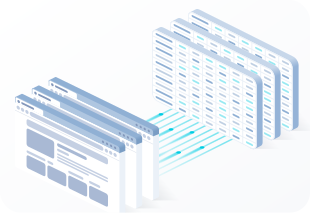
MCP Web Scraper can extract specific fields from web pages and return structured JSON that matches the format your AI workflow needs.
Define the required fields or JSON schema and receive structured data from the target page.
Run scraping and parsing tasks across many URLs using batch jobs without processing each page individually.
Scrape web pages, extract structured data, process dynamic content, and collect data across multiple URLs through the 2Captcha MCP Server.