




LLM captcha solver: Can a AI solve captcha on Its own?

Tech builder focused on infrastructure, automation, backend systems, and scalable SaaS development
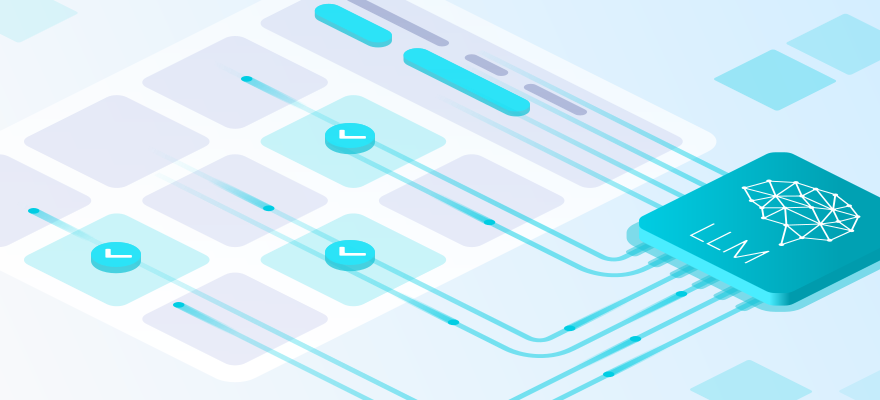
LLMs are useful in web automation, but they are not a complete answer to captcha solving. In practice, the most reliable setup separates the work: the LLM controls the flow, browser automation performs the actions, and 2Captcha handles captcha solving through an API.
This article looks at where LLMs help, why an LLM-only approach usually breaks down, and how a practical hybrid architecture works in production.
Why LLMs get so much attention
LLMs suddenly made a difficult idea look simple: they can read interfaces, understand instructions, interpret screenshots, and reason about page state.
From that perspective, a captcha can look like just another visual task. Some reviews of multimodal LLMs show decent results on recognition-heavy and low-interaction challenges. But performance drops when the task requires precise localization, multi-step spatial reasoning, or consistent interaction across several frames.
That creates the impression that the problem is almost solved. In real automation, it is not.
Where the hype ends and production problems begin
A captcha is not just an image. The real challenge starts when you need a stable pass rate across different sessions, browsers, proxies, and target websites.
The answer is not the only thing being checked
Modern captcha and anti-bot providers do not rely only on the visual answer. They evaluate signals and risk. The visible challenge, if there is one, is often only part of the decision.
For example, reCAPTCHA v3 returns a score from 0.0 to 1.0, and the website decides what to do next: allow the action, request an additional step, or restrict the session.
Cloudflare Turnstile also describes a flow where non-interactive JavaScript challenges run first to collect browser and environment signals. The final behavior is then adapted to the visitor.
A correct answer may still fail
This is the detail that breaks many LLM-only systems: the model may solve the visible task correctly, but the server still does not trust the session.
From the provider’s perspective, this makes sense. If the risk profile is bad, correct answers may look like another automation signal instead of proof that the session is legitimate.
The industry has used browser and transport fingerprints for years. TLS fingerprints such as JA3 and JA3S are one example of how clients can be profiled below the visual layer.
Where LLMs are actually useful
Detecting that a captcha appeared
The most underrated role of an LLM is diagnosis. Not “solve this captcha”, but “detect that the automation flow is blocked by a challenge”.
This matters in dynamic interfaces, where selectors break but the meaning of the page remains visible: a button, a message, a disabled form, an error state, or a verification screen.
In real automation benchmarks, captcha and challenge pages are often treated as a separate failure class because they directly affect end-to-end task success.
Recovering the flow after solving
Even after a challenge is completed, the automation often has to recover the scenario: detect what changed in the DOM, retry a form submission, restore context, or continue from the correct step.
This is where an LLM is useful as an orchestration layer, not as an OCR engine.
Why an LLM-only approach usually fails
The model does not control the full environment
An LLM can understand what is happening on the page, but it is not the browser. Modern checks look at client-side signals and often require the browser to execute JavaScript challenges before any visible interaction happens.
Cloudflare’s non-interactive challenge flow, for example, makes a decision based on signals collected from the browser through injected JavaScript. In normal conditions, this can take only a few seconds.
There are also task classes where large models remain weak:
- fine-grained localization;
- multi-step spatial reasoning;
- consistent behavior across frames;
- interaction that depends on browser state, timing, and session quality.
A large model can reason about the page, but it does not automatically make the browser session trusted.
How a practical architecture works
In a working architecture, the LLM does not “break” the captcha. It controls the scenario and delegates the narrow verification task to the component built for it.
The LLM identifies the situation
The LLM receives context from the page: a screenshot, DOM, and accessibility tree. It determines whether the process is in a normal step or blocked by a verification challenge, then chooses the next branch.
The service solves the captcha
A specialized captcha-solving component handles the narrow task through an API flow: submit task, wait for result, apply result.
The automation continues the scenario
After the challenge is handled, the agent applies the result, checks whether the step was actually completed, and returns control to the main automation flow.
| Component | Role | Strengths | Limitations | When to use |
|---|---|---|---|---|
| LLM | Control and orchestration | Understands UI meaning, handles layout changes better, chooses a strategy | Does not control low-level signals; can make mistakes or hallucinate | Scenario branching, blockage diagnosis, recovery after failures |
| Browser automation | Action execution | Clicks, waits, form input, page state collection | Can struggle with complex or changing UI | Running steps and collecting page state |
| Solving service | Specialized narrow module | Stable task-to-result flow, easier to scale and monitor | Success depends on captcha type, proxy quality, and legal constraints | When a site uses captcha or anti-bot checks |
Risks
- Legal and policy limits. Automation must follow the law, the target site’s rules, and applicable terms of service. For public websites, there should be a legitimate purpose, such as testing your own service.
- Agent security. Agents can be exposed to prompt injection through page content. Larger systems need defense-in-depth, strict tool limits, and isolated environments.
Can an LLM solve captchas by itself?
Sometimes, yes. It may work on simple, low-interaction tasks.
But many real checks involve more than visual recognition. They may require precise localization, browser-side execution, session trust, timing, and consistent interaction. In those cases, an LLM alone is usually not the right tool.
Why the LLM + service model works better
Think of the system as a project team.
The LLM is the coordinator. It looks at the page, understands that the scenario is blocked by a challenge, and decides what should happen next: retry the step, switch branches, or call an external module.
Browser automation is the executor. It clicks, waits, fills fields, checks page state, and moves the scenario forward. This part should behave consistently every time.
The captcha solving service is the specialist. Its job is to handle a specific verification task and return the result in a predictable format.
This separation matters for several reasons.
First, captcha is not an isolated task. It is part of a broader session verification process. Even if the visible challenge is solved correctly, the website may still reject the session. A solving service does not turn a low-quality session into a trusted one.
Second, the system becomes easier to debug when roles are separated. If the LLM handles logic and decision-making instead of trying to control every low-level step, failures are easier to locate and fix.
Third, the architecture is easier to maintain. You can replace the automation layer or solving provider without rewriting the whole agent logic.
For LLM agents, the same security principle applies as with any automated worker: give each component only the access it actually needs.
- Do not expose secrets, cookies, or production tokens unless necessary.
- Isolate sessions with test accounts and separate environments.
- Require manual confirmation for risky actions.
- Account for prompt injection: page content may try to influence the agent’s behavior.
Handle captcha work as a separate module:
detect captcha → send task to the service → receive result → apply result → verify that the step passed
This gives the system practical advantages:
- easier failure analysis;
- clearer retries and timeouts;
- the ability to switch providers or modes without rewriting the LLM flow.
A large LLM is useful for general logic: understanding the page, detecting the interface state, choosing the next step, and recovering after a failure. But using it as the main tool for a specific challenge is often inefficient.
The reason is simple: a large model is general-purpose, but excessive for a narrow task. It uses more resources, costs more, and does not always perform better when the task depends on precise recognition of a specific captcha or challenge type.
For this kind of work, a specialized model or a service such as 2Captcha is usually a better fit. It does not need to understand the whole website or the full user scenario. Its job is limited: recognize the specific captcha or challenge type, return the result, and pass control back to the automation layer.
That is why a practical architecture keeps the large LLM at the orchestration level, while a specialized model or solving service handles the narrow verification task. Each component does the job it is best suited for, which makes the system faster, easier to debug, and easier to maintain.