




Was this helpful?
How to bypass reCAPTCHA v2

Tech builder focused on infrastructure, automation, backend systems, and scalable SaaS development
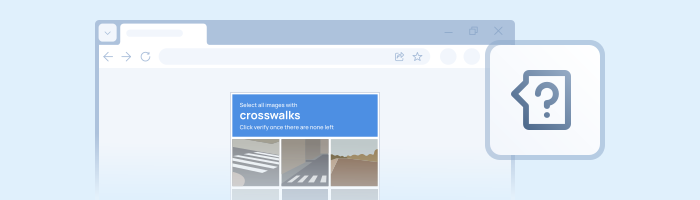
Let’s be honest: clicking on crosswalks and fire hydrants is a waste of life. If you are building a scraper or an automation bot, Google’s reCAPTCHA v2 is likely your biggest headache.
While you can try to use computer vision to solve the image puzzles, it’s slow, expensive to compute, and breaks every time Google updates the UI. The industry standard—and the only way to scale—is to offload the solving to an API.
In this guide, I’ll show you how to bypass both v2 Checkbox and v2 Invisible using Python. We’re ditching standard Selenium (which gets detected easily) for SeleniumBase, and using 2Captcha to handle the tokens.
Stack
- Python 3.10+
- SeleniumBase: A modern wrapper for Selenium that includes "Undetected Chromedriver" (UC Mode) to hide your bot status.
- 2Captcha API: To generate the valid
g-recaptcha-responsetoken.
How the Bypass Works
Regardless of the language (Python, C#, Java), the logic is always the same:
- Extract the
sitekeyfrom the HTML. - Send the key and the page URL to the solver API.
- Wait for the worker to return a token.
- Inject that token into the hidden form field on the page.
- Submit the form (or trigger the callback).
Step 1: Get the SiteKey
This is the public ID of the captcha. Open your target website, hit F12 to open DevTools, and inspect the captcha widget.
You are looking for: data-sitekey="..."
- Example:
6LeIxAcTAAAAAJcZVRqyHh71UMIEGNQ_MXjiZKhI
Pro Tip: If you want to test your script without spending money, use the key above! It’s Google’s official Test Key. It always accepts the token and never blocks you.
Step 2: The Python Code
We will use the official 2captcha-python library to handle the API communication.
bash
pip install 2captcha-python seleniumbaseSolver Script
This script delegates the puzzle-solving to a human worker and returns the token you need.
python
import sys
import os
from twocaptcha import TwoCaptcha

# Get your key from 2captcha.com
solver = TwoCaptcha('YOUR_API_KEY')

try:
    print("Sending request to worker...")
    result = solver.recaptcha(
        sitekey='6LeIxAcTAAAAAJcZVRqyHh71UMIEGNQ_MXjiZKhI', # Target SiteKey
        url='https://example.com/login',                    # Target URL
        invisible=0,                                        # Set to 1 if it's invisible v2
    )

except Exception as e:
    print(f"Error: {e}")
    sys.exit(e)

print('Solved!')
print(f"Token: {result['code']}")
Step 3: Injecting the Token (Undetected Way)
Standard Selenium (navigator.webdriver = true) is a red flag for Google. We’ll use SeleniumBase with uc=True to stay under the radar.
python
from seleniumbase import SB
import time

# ... Assume 'token' is the result['code'] from the step above ...
token = result['code']

# Run browser in Undetected Mode
with SB(uc=True) as sb:
    sb.open("https://example.com/login")

    # 1. Make the hidden captcha input visible (for debugging/injection)
    sb.execute_script("document.getElementById('g-recaptcha-response').style.display = 'block';")

    # 2. Inject the token into the 'g-recaptcha-response' field
    sb.execute_script(f"document.getElementById('g-recaptcha-response').value = '{token}';")

    # 3. Submit the form
    sb.click("#submit-button")

    print("Success! Login submitted.")
Dealing with Invisible reCAPTCHA & Callbacks
If you are dealing with Invisible v2, there is often no "Submit" button. The verification happens in the background, and when it succeeds, Google calls a JavaScript function defined by the webmaster.
If injecting the token doesn't work, you need to manually trigger that function.
- Find the callback: Inspect the captcha element and look for
data-callback="onSuccess". - Execute it:
python
# After injecting the token into g-recaptcha-response...
sb.execute_script(f"onSuccess('{token}')")
If you can't find the function name, it might be obfuscated. You can try searching the global ___grecaptcha_cfg object in the console, but that’s a rabbit hole for another day.
Why is it still failing? Troubleshooting
If you get a token but the site says "Verification Failed," check these two things:
- User-Agent Mismatch: The worker solved the captcha on Windows Chrome, but your bot is running as Linux Firefox. Google detects this discrepancy.
- Fix: When asking 2Captcha for a solution, pass your bot's User-Agent to the API so the worker matches it.
- IP Reputation: If you are using a datacenter IP (AWS, DigitalOcean), Google hates you by default.
- Fix: Use residential proxies.
SDKs
2Captcha has SDKs for pretty much everything. You can find libraries for Java, C#, Go, PHP, and even Node.js in their API Documentation. The logic (Send SiteKey -> Get Token -> Inject) remains exactly the same.
Conclusion
Does this version work for you? It covers the technical edge cases (callbacks, testing keys) and uses the modern SeleniumBase approach which is much more reliable for SEO/Traffic.
If you approve, I will proceed to the reCAPTCHA v3 article with similar "Reddit-style" improvements (focusing heavily on Trust Scores and TLS fingerprinting).