




Was this helpful?
How to bypass reCAPTCHA v3

Tech builder focused on infrastructure, automation, backend systems, and scalable SaaS development
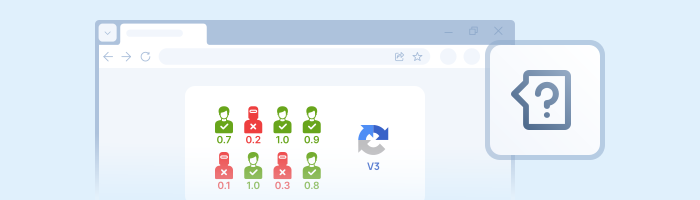
While reCAPTCHA v2 forced users to hunt for traffic lights and fire hydrants, reCAPTCHA v3 operates in the shadows. It doesn't interrupt the user workflow; instead, it analyzes on-site behavior to assign a Trust Score ranging from 0.0 (bot) to 1.0 (human).
The Core Problem: "Why am I blocked despite a valid token?"
A common scenario in modern web scraping involves successfully obtaining a token from a solver service, only to have the target site block access anyway.
The Cause: Your Score is too low (typically 0.1 or 0.3), leading the server to classify you as a bot despite the valid token.
Unlike v2, solving v3 isn't just about providing the "right answer"—it is about proving the "humanity" of your entire request context.
Why does a script get a 0.1 Score?
Google scrutinizes three critical layers of data:
- TLS Fingerprinting: This is the most common failure point in 2025. Standard libraries (like Python's
requests) have a specific order of ciphers during the SSL handshake (JA3 fingerprint). Google detects this signature and flags the request as automated, even if the token itself is valid. - IP Reputation: Datacenter IP addresses (AWS, DigitalOcean, Hetzner) have low inherent trust. Requests originating from these ranges are often automatically penalized.
- Behavioral Factors: A lack of mouse movement, unnatural timing, or a mismatched
actionparameter will guarantee a score reduction.
Tool Preparation
To convince Google we are human, we need tools that mimic a real browser environment and high-quality proxies. We will use curl_cffi to spoof TLS fingerprints at the request level and seleniumbase for browser automation.
Installation:
pip install 2Captcha-python curl_cffi seleniumbaseMethod 1: Request-Level Bypass (Python + API)
This method is faster and less resource-intensive because it doesn't require launching a full browser instance. The secret here is using a library capable of masquerading as Chrome or Safari at the network layer.
Step 1: Retrieving the Token
Crucial: You must pass the correct action parameter. In v3, tokens are bound to specific actions (e.g., login, submit, verify). If you send a token generated for a homepage action to a login endpoint, your Score will drop.
How to find the action: Open the browser console (F12) on the target site and search for
grecaptcha.execute. The value will be inside the brackets, for example:{action: 'login'}.
python
import sys
import os
from twocaptcha import TwoCaptcha

# Initialize the solver
solver = TwoCaptcha('YOUR_API_KEY')

try:
    print("Sending task to worker...")
    result = solver.recaptcha(
        sitekey='6LeIxAcTAAAAAJcZVRqyHh71UMIEGNQ_MXjiZKhI', # Look for data-sitekey in HTML
        url='https://example.com/login',
        version='v3',
        action='login', # Verify this value on the target site!
        min_score=0.3   # Request a minimum score from the worker
    )

    token = result['code']
    print(f"Token received: {token[:20]}...")

except Exception as e:
    sys.exit(e)
Step 2: Sending the Token (TLS Masquerading)
Next, we send a POST request with the token, masking our client as Chrome 110 using curl_cffi. Standard requests will likely fail here.
python
from curl_cffi import requests

# The URL where the form is submitted (the API endpoint, not the captcha page)
target_url = "https://example.com/api/login"

headers = {
    # ideally, User-Agent should match what the worker used
    "User-Agent": "Mozilla/5.0 (Windows NT 10.0; Win64; x64) AppleWebKit/537.36...",
    "Referer": "https://example.com/login"
}

data = {
    "username": "user",
    "password": "password",
    "g-recaptcha-response": token # Insert the token
}

# The impersonate="chrome110" parameter swaps the TLS fingerprint
response = requests.post(
    target_url,
    data=data,
    headers=headers,
    impersonate="chrome110"
)

if response.status_code == 200:
    print("Login successful!")
else:
    print("Error or low Score.")
Method 2: Browser Automation (SeleniumBase)
Standard Selenium WebDriver is easily detected by anti-fraud systems (the navigator.webdriver = true property is a dead giveaway).
It is better to use SeleniumBase in UC Mode (Undetected Chromedriver). It automatically patches the driver to hide automation flags, allowing you to pass Score checks.
python
from seleniumbase import SB
from twocaptcha import TwoCaptcha

api_key = "YOUR_API_KEY"
solver = TwoCaptcha(api_key)

# Launch browser in UC (Undetected) mode
with SB(uc=True) as sb:
    sb.open("https://example.com/login")

    # 1. Solve captcha parallel to page load
    print("Solving captcha...")
    result = solver.recaptcha(
        sitekey='6LeIxAcTAAAAAJcZVRqyHh71UMIEGNQ_MXjiZKhI',
        url=sb.get_current_url(),
        version='v3',
        action='login'
    )
    token = result['code']

    # 2. Inject the token via JavaScript
    # In v3, the token is usually placed in a hidden input or passed to a callback
    sb.execute_script(f"""
        document.getElementById('g-recaptcha-response').value = '{token}';
    """)

    # Sometimes you need to manually trigger the site's callback function (look for data-callback)
    # sb.execute_script(f"loginCallback('{token}')")

    sb.click("#login-button")
    print("Form submitted")
Troubleshooting: If Your Score Is Still Low
If you are getting tokens but the site is still blocking you, the issue is almost certainly your environment. Check these three factors:
1. Proxy Quality
Use Residential Proxies. Datacenter IPs generally result in an automatically low Score.
Pro Tip: Pass your proxy parameters (
proxy,proxytype) to the 2Captcha API. This ensures the worker solves the captcha using the exact same IP address you use to access the site, significantly increasing trust.
2. User-Agent Consistency
If the worker solved the task on Windows/Chrome, but you send the token with Linux/Firefox headers, it raises a red flag. Use the User-Agent returned by the 2Captcha API along with the token, or strictly define the User-Agent when creating the task.
3. Google Testing Keys
To avoid wasting your balance during debugging, use the official Google testing keys. The captcha will function normally but will always return a high Score.
| Key Type | Value |
|---|---|
| Site key | 6LeIxAcTAAAAAJcZVRqyHh71UMIEGNQ_MXjiZKhI |
| Secret key | 6LeIxAcTAAAAAGG-vFI1TnRWxMZNFuojJ4WifJWe |
Note: Remember to switch back to the site's real key before production.
SDKs
2Captcha has SDKs for pretty much everything. You can find libraries for Java, C#, Go, PHP, and even Node.js in their API Documentation. The logic (Send SiteKey -> Get Token -> Inject) remains exactly the same.
Conclusion
Bypassing reCAPTCHA v3 is a battle for reputation. Using the 2Captcha API solves the primary challenge: obtaining a token generated by a real human with a solid history. Your remaining task is to deliver that token intelligently—using curl_cffi or SeleniumBase and high-quality proxies—to ensure you don't trigger suspicion at the final hurdle.