




Architecture of anti-detect browser Linken Sphere
Anti-detect browsers are designed to provide privacy and bypass anti-fraud systems: they mask the user’s digital fingerprint by modifying parameters such as IP address, User-Agent, operating system, cookies, and much more. This makes it possible to safely work with multiple accounts on a single machine and avoid bans on platforms with strict anti-fraud policies (Facebook, Google, TikTok, etc.).
Linken Sphere is one of the pioneers among anti-detect browsers and has earned a reputation as a reliable tool for anonymous browsing and multi-accounting. It has been around since the early days of the industry, and many features that are now considered standard first appeared precisely in this anti-detect browser: automatic geolocation spoofing, account “warming up” (pre-generation of activity history and cookies), human-like input simulation, and mobile device emulation.
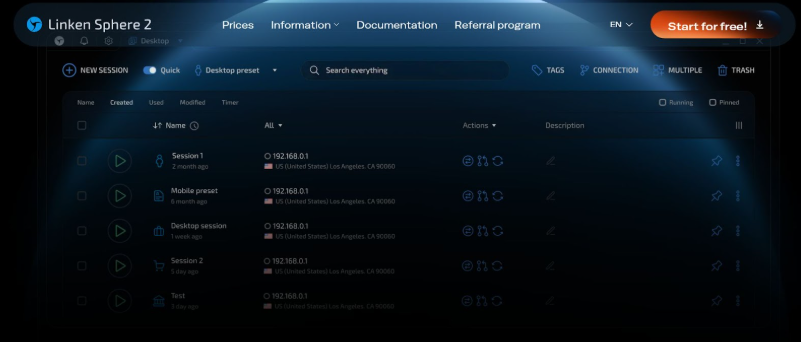
Linken Sphere architecture
New architecture. The current version of Linken Sphere (Linken Sphere 2) is built “from scratch” on a completely new architecture. The developers took into account the shortcomings of previous generations and eliminated many of the technical issues users were facing.
You can use promo code - 2CAPTCHA and get 20% discount for all packages.
Browser performance has been significantly improved thanks to the extensive use of C++ and deep optimization of the Chromium engine. In essence, Linken Sphere is a modified Chromium, tuned specifically for anti-detect tasks. As a result, the new engine runs smoothly and without lag, eliminating freezes even when many profiles are launched simultaneously.
Work with the server side has also been made faster and more reliable: the interaction between the client and the cloud has been optimized, which removed long response times and increased the speed of opening sessions.
Data security. The architecture of Linken Sphere is initially oriented toward security and privacy. By default, the browser runs in a special Off-the-Record (OTR) mode, encrypting all stored data. User profiles can be stored either in the cloud (on the developer’s servers) or locally — at the user’s discretion.
When using cloud storage, all information is encrypted with modern methods, and if needed, synchronization with the server can be completely disabled so that all data remains only locally on your device. This flexible approach lets you choose a convenient balance between having profiles available across multiple devices and maximum autonomy.
The browser implements multi-level protection against data loss: regular profile backups and the ability to roll back changes from a backup if something goes wrong.
Chromium without restrictions. An important architectural feature of Linken Sphere is that it preserves the full Chrome functionality when working with anti-detect profiles. The browser provides “smart Chrome control”, i.e. access to all standard engine features and settings.
The user can work with bookmarks, save passwords, configure start pages, change search engines (Google, Yandex, DuckDuckGo, etc.) — in short, use almost all of Chrome’s familiar functionality inside Linken Sphere. At the same time, the application interface can be customized (themes, color schemes, UI languages) and simplified for weaker machines (for example, by disabling extra animations).
The browser supports Windows and macOS (x86 and ARM), and thanks to C++ optimizations the interface runs fast even on relatively modest hardware. Linken Sphere has also integrated Google Safe Browsing for malicious link filtering, adding another layer of protection for web surfing.
Anti-detect features and fingerprint masking
The main purpose of Linken Sphere is to spoof or mask the browser characteristics that websites use to track and identify users. The browser replaces the entire set of fingerprint parameters: from obvious ones (User-Agent, headers, IP address via proxy, time zone, languages) to low-level ones (Canvas, WebGL, audio context, fonts, screen and window dimensions, sensor behavior, etc.).
As a result, each profile in Linken Sphere has a unique fingerprint that does not match your real one, which allows you to bypass anti-fraud systems and avoid deanonymization. Importantly, the profile looks realistic: its parameters are consistent with each other and correspond to typical devices, rather than being randomly generated.
Hybrid mode 2.0. One of the key technologies in Linken Sphere is the proprietary hybrid masking mode. In this mode, the browser automatically adapts the fingerprint to the configuration of the user’s actual hardware. Simply put, Sphere takes your device’s characteristics (for example, GPU model, supported WebGL capabilities, Canvas behavior) as a basis and subtly modifies them so that the profile looks like a real device, but still differs from the original.
This approach provides uniqueness without resorting to primitive techniques like adding noise to Canvas/WebGL, which anti-bot systems can detect. In the updated Hybrid 2.0 version, everything has been simplified as much as possible: the mode is enabled with a single toggle, after which parameter tuning happens automatically. The hybrid mode has become Sphere’s signature feature, making it possible to create digital fingerprints that are very hard to distinguish from real ones.
Precise device configurations. For scenarios where full match with specific devices is required, Linken Sphere offers a configuration pool mode. For the first time on the market, users get access not to abstract parameter combinations, but to real device profiles with specific models and OS versions.
You can choose a ready-made configuration for, say, a MacBook Pro, Samsung Galaxy S21, iPhone, or another device — and the profile will receive a fingerprint that is as close as possible to an actual device of that model.
The browser emulates not only desktop characteristics but also mobile platforms. Previously, Linken Sphere implemented deep Android emulation (recognized as one of the best mobile web emulators on the market), and in the latest update a full-fledged iOS spoofing has been added. iPhone/iPad profiles in Sphere accurately reproduce Safari on iOS behavior, opening up new possibilities for working with mobile iOS traffic.
Account warming and cookie bot. So that new profiles do not look “clean” (zero history) to anti-fraud systems, Linken Sphere supports automatic warming — simulation of user activity. The built-in cookie bot can automatically visit sets of sites, click links, and scroll pages, generating a browsing history and a set of cookies.
In the latest version, this tool has become even more flexible: you can specify the depth of page traversal and even choose which search engine to use to reach the target site (simulating a transition from Google, Bing, etc. search results). This approach significantly improves the quality of warming and the realism of the profile: it creates the impression that the account has been used by a real person for a while rather than having just been registered.
Profiles “warmed up” in this way live longer and are less likely to get banned.
Protection against bot detection. The browser successfully passes checks from popular anti-bot systems and fingerprint tests — in particular, from services like fv.pro and botchecker.net, which are used to detect spoofed parameters.
In addition, for integration with Selenium, Puppeteer, and other automation tools, a special headless mode with anti-detect protection has been introduced. In this mode, Linken Sphere hides typical automation markers (such as the webdriver flag, specific Chrome DevTools Protocol traits, etc.). This allows you to safely use Sphere for automatically launching hundreds of accounts and web processes (registration, posting, scraping) without risking that the system will flag the browser as automated.

Uniqueness indicator. The new generation of Linken Sphere includes a handy control tool — a profile uniqueness indicator. It visually shows how different your profile and chosen fingerprint settings are from others and whether there are any obvious inconsistencies.
If you make a critical mistake during setup (for example, select incompatible device parameters), the indicator will warn you before you start working with the account. This mechanism lets you test the configuration in advance and make sure it is solid — which is especially important, since an error in the fingerprint can lead to a quick account ban, while the indicator helps avoid such situations.
Session isolation and data security
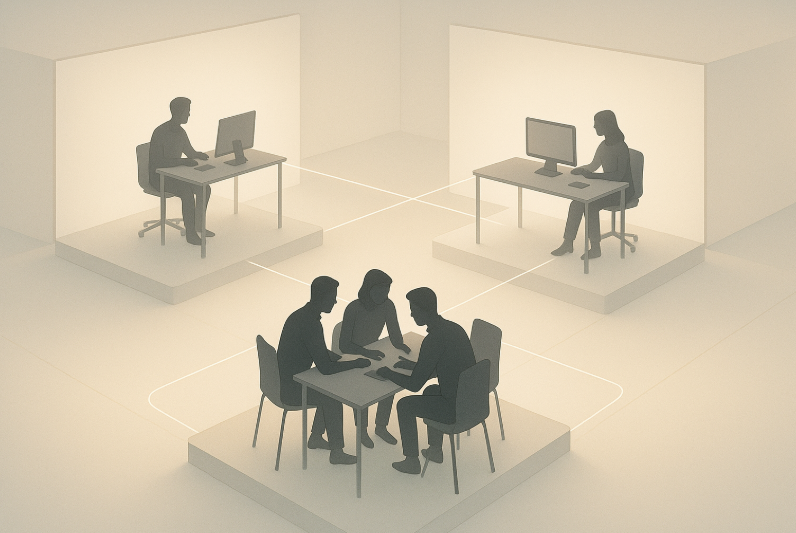
One of Linken Sphere’s baseline capabilities is full profile isolation. Every profile (session) created in the browser runs as a separate container with its own cookies, cache, local storage, and other data that are not accessible from other sessions. That means multiple accounts (for example, different clients or separate logins on the same platform) can work simultaneously from the same computer without overlap or leakage.
Anti-fraud systems see each profile as a unique device with its own characteristic set.
Within Linken Sphere, profiles are isolated so thoroughly that data does not “leak” between them. Isolation also extends to network connections and hardware identifiers: you can assign a separate proxy (its own IP address) to each profile and manage hardware access permissions individually (geolocation, camera, microphone, etc.). Even such details as the list of installed fonts or WebGL access are constrained by the session boundary.
As a result, the fingerprints of different profiles are not linked to each other in any way, and cross-site tracking of a user becomes nearly impossible.
To simplify working with dozens of sessions, the browser introduces the concept of “desktops” (workspaces) that can be used to group profiles by projects or teams. Each desktop is a set of sessions that you can quickly connect to.
This feature is especially useful for team workflows: an administrator can create several desktops (for example, by client or by traffic vertical) and delegate access to them to different employees. Sphere includes a well-thought-out role and permission system — you can safely share profiles inside the team without fearing data compromise.
All profile sharing goes through encrypted cloud storage, and the profile owner controls which actions each participant is allowed to perform (view, edit, launch, etc.). This eliminates the need to use multiple physical devices or constantly transfer profile files around — the team works “in a single window” with clear access boundaries.
Finally, an important architectural feature of Sphere is on-the-fly dynamic parameter updates. For example, if the IP address changes during a session (you switch to another proxy), the browser instantly updates all related fingerprint data (WebRTC, local IP, and other network traces) right in the active session.
In most competing products, IP changes require profile restart or result in parameter mismatches (the IP changed, but the WebRTC fingerprint remained the same), which can make anti-fraud systems suspicious. Linken Sphere, by contrast, tracks such changes and synchronizes all fingerprints in real time, keeping profiles consistent and invisible to detection.
Working with proxy servers
To ensure anonymity and geo-targeting, Linken Sphere offers flexible proxy management. Proxies are an integral part of an anti-detect browser, since they are what give the profile the required external IP address.
Sphere includes convenient tools for managing proxy servers. Immediately upon adding a new proxy, the browser validates it — checking whether the server is accessible and whether it correctly proxies traffic. If the proxy does not respond or requires authentication, you learn about it right away.
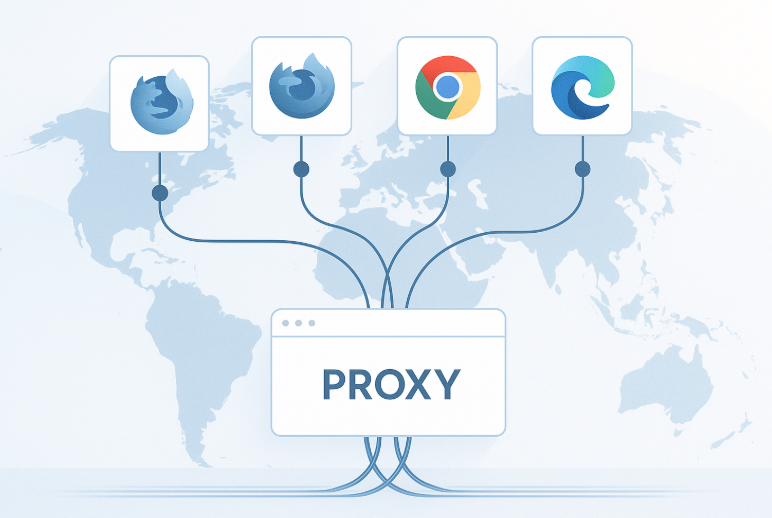
The browser supports different proxy types: HTTP/HTTPS, SOCKS5, SSH tunnels. You can set a dedicated proxy and connection type for each profile. Network settings are highly configurable — down to selecting DNS servers or simulating a slow connection if needed.
At the same time, there are no real IP leaks: WebRTC connections are either disabled or also routed through the chosen proxy, and the browser’s own requests to Google services (for update checks, etc.) are isolated from the profiles.
Sphere’s tooling greatly simplifies routine proxy operations. For example, there is a bulk import feature — you can paste a list of hundreds of proxies at once, and the browser will automatically distribute them across different sessions. There is no need to add each one manually. There is also quick one-click removal of non-working proxies.
Advanced users will appreciate the built-in proxy “cleanliness” checker — a mechanism that can run proxies through a series of tests (for example, checking that they are not blacklisted, measuring response times, verifying that the region matches the declared one, etc.). This helps weed out “burned” or very slow proxies before you put them into production.
With such capabilities, Sphere users save time and avoid downtime: invalid or blocked proxies are detected and can be replaced immediately, while bulk addition of new proxies is almost instantaneous.
Linken Sphere also lets you flexibly change network settings on the fly. For example, you can switch from one proxy to another right in the middle of a profile session — as mentioned above, the browser will instantly update all network fingerprints.
This is useful if you notice connection instability or want to change IP without restarting the session. Sphere also supports linking multiple proxies to a single profile (with the ability to quickly switch between them), which is handy for testing different geolocations on the same account.
Fingerprint and profile management
Linken Sphere provides advanced tools for managing profiles and their digital fingerprints. You can create a new profile in one click: just choose a preset, and the browser will generate a unique parameter set automatically.
To support this, Sphere uses so-called super-template providers — pre-built configuration templates. A super-template includes the basic fingerprint settings (device type, OS, browser version) and, optionally, start pages, bookmarks, extensions, and even preloaded cookies.
Thanks to this, you can prepare a typical profile in a couple of clicks and then launch it in any quantity. For example, you can create an “Android Chrome” template with the required set of extensions and Google services authorization, and then spawn hundreds of sessions from it that are already ready for work.
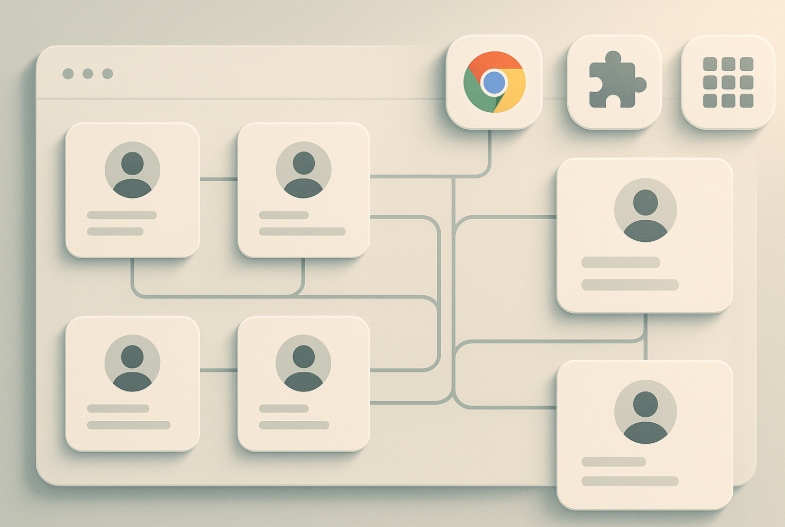
In addition to templates, Linken Sphere supports bulk operations on profiles. The bulk session creation tool allows you to generate dozens or hundreds of profiles at once, either randomly or based on templates, and batch-load cookies for them.
An interesting detail: if you have separate cookie files for different accounts, you can upload them in one batch and the browser will automatically match each file to its own profile. There is no need to manually merge cookies into a single file or open each profile one by one — Sphere automates this routine.
Similarly, there is bulk account import: you upload a file containing account lists (for example, login:password pairs or tokens), and Linken Sphere automatically distributes these data across freshly created profiles. This significantly speeds up setup, especially when migrating between browsers or working with large account volumes.
For existing profiles, Sphere supports bulk modification: you can add the same start pages, bookmarks, or extensions to a whole group of sessions at once, assign labels (tags), and so on.
An interesting architectural nuance is that Sphere enables a unique thing here — reverse communication between the Chrome core and the browser’s control panel. The user can change profile settings (for example, the list of saved passwords or extension sets) directly from the management interface without opening each profile manually, and these changes are applied to all selected sessions at once. This saves significant time and reduces the risk of mistakes when you need to update dozens of accounts in sync.
Extension management is also implemented very flexibly. You can install extensions in three ways: via the built-in catalog (search and install from the Chrome Web Store), by uploading your own extension file (ZIP/CRX) — with the option to bulk upload several extensions at once — or directly inside a running Chrome profile window.
All added extensions are saved into the profile and can be synchronized among team members in collaborative workflows. You can even pin certain extensions — for example, keep a CAPTCHA-solving extension visible for all team members — and these settings will be consistent for anyone who connects to the profile.
The profile synchronization system in Linken Sphere is also worth mentioning. The user is free to choose which data types are synchronized via the cloud and which are not. For example, for security reasons you can disable synchronization of history or extension data if the profile uses a crypto wallet or other sensitive information. Or, conversely, you can enable full synchronization to have a complete backup of the profile in the cloud.
Key differences between Linken Sphere and competitors
Several fundamental differences between Linken Sphere and competing products are worth highlighting:
Unique fingerprint evolution
Many anti-detect browsers are limited to a one-time fingerprint substitution (for example, they set a fixed User-Agent or parameter set at the moment the profile is created), whereas Linken Sphere goes further. With its innovative dynamic variability mechanism, Sphere models the natural evolution of a profile’s fingerprint over time.
Sessions “live and evolve along with the Chrome ecosystem” — they silently receive current security patches and core version updates, as if a regular user were updating a normal browser. This proactive approach (full-fledged mimicry instead of static camouflage) makes Linken Sphere profiles practically indistinguishable from real devices, while simplified solutions with frozen fingerprints start to show anomalies as time goes on.
Performance and stability
Sphere’s architecture is oriented toward high speed and reliability. Using C++ and native Chrome optimization gives it an advantage in performance. Even under heavy load, the browser remains stable.
By comparison, some alternative solutions are built on less efficient technologies, leading to more frequent lag and higher resource consumption. Linken Sphere, on the other hand, operates “close to the metal,” which is especially noticeable during mass operations with profiles (import, launch, automated testing) — everything runs smoothly and without delays.
Feature richness and innovation
Over years of development, Linken Sphere has accumulated functionality that covers practically all the needs of professionals working with accounts. Many features that are only now appearing in other browsers have long been implemented in Sphere — and in a more mature form.
For example, human-like input and mobile device emulation were first introduced exactly in Sphere and later became industry standards. In its latest version, Sphere has launched several tools that are unique on the market: a fingerprint quality indicator, an interactive cookie bot with configurable warm-up depth, invite links for onboarding new team members with pre-set permissions, and more. These solutions are either missing in competitors altogether or implemented with far less convenience and flexibility.
Depth of masking and compatibility
Linken Sphere provides deeper substitution of system parameters and passes the most sophisticated checkers, including corporate-grade anti-bot platforms. For example, Sphere correctly updates the WebRTC fingerprint when the IP changes on the fly — something that most competing browsers cannot do.
In addition, full compatibility with automation tools (Selenium, Puppeteer) and an undetectable headless mode set Sphere apart: in many other products, automation is either limited or requires extra tweaking, whereas Sphere is ready for it out of the box.
Security and autonomy
Unlike certain cloud-focused products that require a constant connection, Linken Sphere allows fully local operation — all profiles can be stored on your side under your control. Even in cloud mode, data is encrypted, and the user can decide which data are synchronized, which increases trust in the tool.
In summary, Linken Sphere is a technically advanced anti-detect browser that combines a modern Chromium engine with a powerful set of tools for anonymity and multi-account management. Its architecture is geared toward speed and security, and its functionality continues to expand, staying ahead of typical solutions on the market.
яя