




DICloak Antidetect Browser
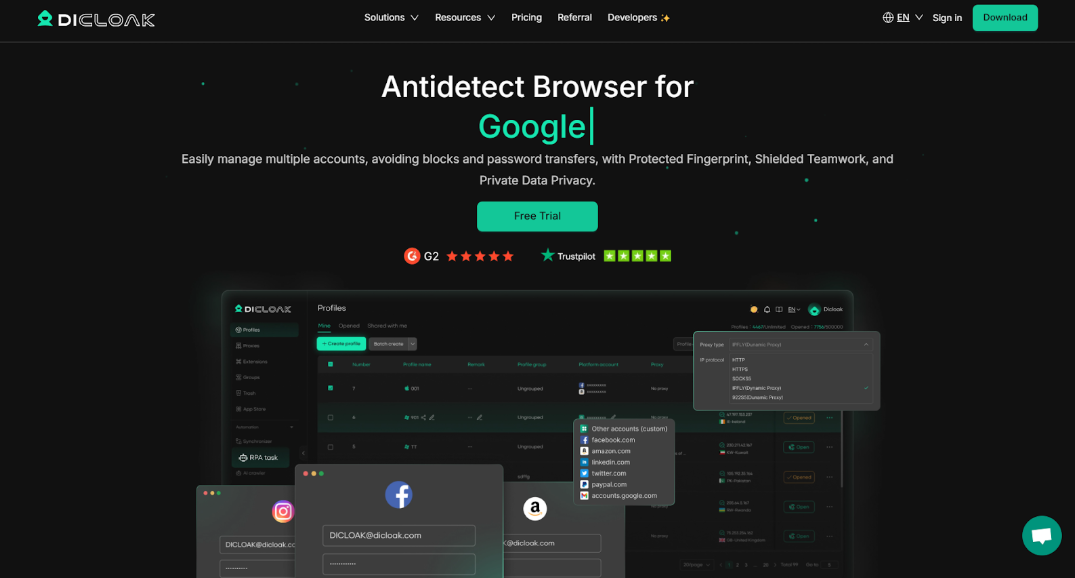
DICloak Antidetect Browser Overview
DICloak Antidetect Browser is a specialized privacy-focused browser that helps individual users and companies securely manage multiple accounts at the same time. Unlike a regular browser, DICloak creates separate, isolated browser profiles for each account. This means all data — cookies, cache, settings, and digital fingerprints — is stored separately for every profile. As a result, your different accounts do not “intersect” with each other, and websites cannot link them by technical signals. This approach is especially valuable for targeting specialists, SMM, traffic arbitrage, e-commerce, and other fields where you have to work with many profiles and must avoid bans for multi-accounting.
Fingerprint Spoofing Features of DICloak Antidetect Browser
The key task of an anti-detect browser is to hide or substitute the parameters websites use to track users. DICloak automatically spoofs the main browser fingerprint parameters, making every profile unique. Its fingerprint masking toolkit includes IP address substitution (via proxies), geolocation, time zone, language settings, as well as technical browser parameters. The browser allows you to emulate the device’s graphics characteristics: for example, to alter Canvas, WebGL, and WebRTC data, which prevents detection of your real GPU or system components. It even supports generating unique values for WebGPU, hardware identifiers, and other APIs used for fingerprinting. There is also generation of the network adapter’s MAC address and the device name, which makes profiles even more realistic for anti-fraud systems. All parameters can be generated automatically — DICloak selects a consistent set of fingerprint characteristics that looks plausible and mimics a separate real device. As a result, each profile “presents itself” to websites as a unique user, unrelated to your other accounts. Anti-fraud algorithms and tracking systems do not detect links between such profiles, which significantly reduces the risk of mass account bans.
Inside the Architecture and Fingerprint Technology of DICloak Antidetect Browser
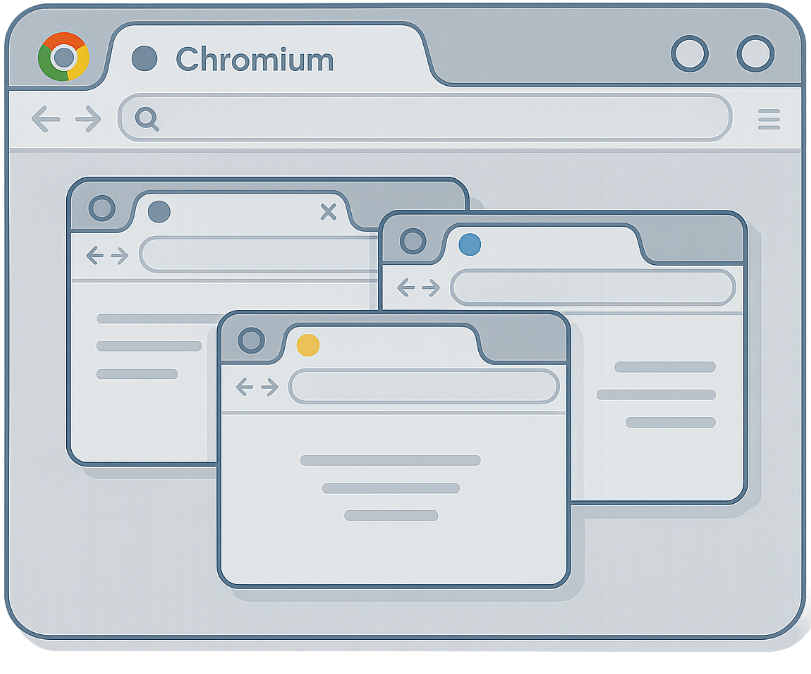
DICloak is built on a modified Chromium engine and operates on the “browser inside a browser” principle. Each profile is isolated like a separate virtual machine, but without heavy resource consumption. In practice, every profile runs as an individual device — with its own unique hardware and software configuration. When a profile is launched, DICloak automatically applies all the specified profile parameters to the browser: device and OS type, screen resolution, user agent, list of plugins, fonts, time zone, CPU/GPU info, etc. The browser identifies itself to websites as a regular Chrome-like client, but with substituted characteristics at the level of low-level APIs. This achieves a high level of stealth: websites “see” not your real browser or computer, but an emulated DICloak profile. At the same time, performance barely suffers — profiles run as fast as a regular browser.
The service architecture provides for cloud synchronization: all profiles and their data can be stored encrypted in DICloak’s cloud and accessed from different devices under your account. This is convenient for backup and team workflows — team members can access the current version of a profile. Profile data (cookies, passwords, local storage, etc.) is encrypted to protect it from unauthorized access. Moreover, DICloak includes additional security mechanisms, such as blocking unwanted data-collection scripts and the ability to finely tune global browser behavior. As a result, the user’s data privacy remains under control: third-party trackers will not be able to silently collect your real digital fingerprint or extract information from the profile.
API Integration and Automation in DICloak Antidetect Browser
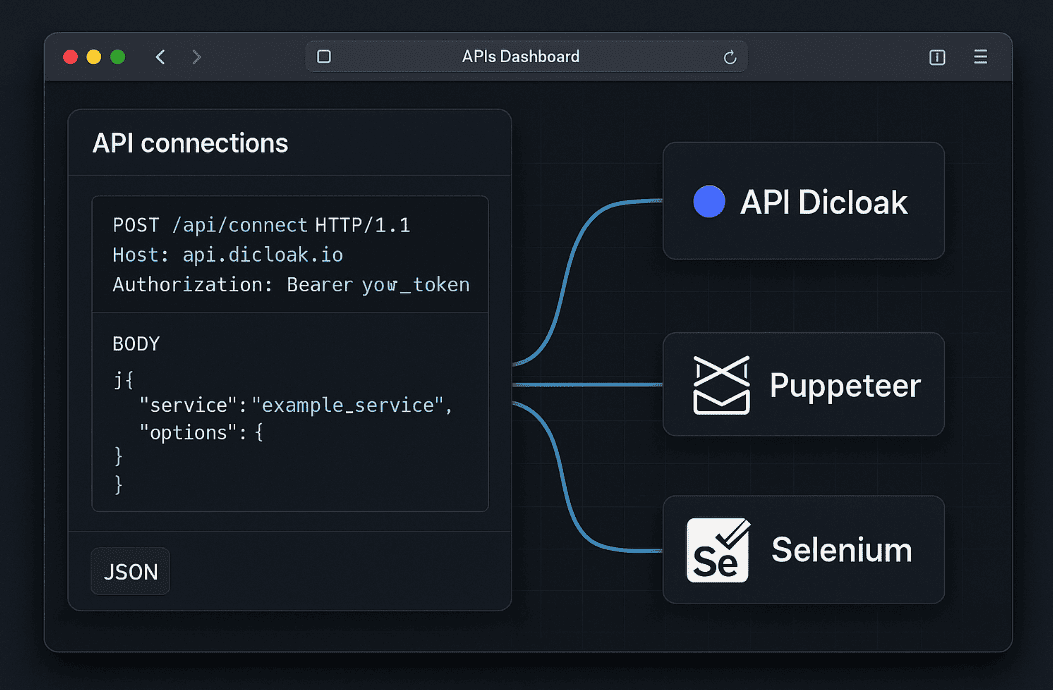
For advanced users, DICloak provides an open API for remote control of the browser and profiles. With it, you can programmatically create and configure profiles, launch browser profiles, and perform actions without using the manual interface. This enables integrations with custom scripts and corporate systems. For example, arbitrage teams or developers can, via the API, automatically generate dozens of new profiles, prefill data in them, and mass-register accounts on target websites. This kind of integration saves a lot of time and removes the human factor in repetitive operations — a script can do in minutes what would take hours manually. The DICloak API supports the main profile management functions: proxy setup, browser fingerprint parameters, session start/stop, data export, etc. As output, the API returns a link to the Chrome DevTools Protocol (CDP) interface, which external tools (such as Selenium, Puppeteer, or Playwright) can connect to and control the launched profile like a normal browser. Thus, DICloak is easily embedded into existing automation pipelines for testing, web scraping, and similar tasks.
In addition to the developer API, the browser includes Robotic Process Automation (RPA) tools for automating typical actions without coding. DICloak comes with a convenient visual RPA module and a library of ready-made scenario templates. The user can record or compose a scenario — for example, form filling, a web-page clicker, a data scraper, or a sequence of actions for social networks. Then this script is run on the required profiles and performs routine operations automatically. The browser even allows you to run RPA tasks in parallel on many profiles, which is useful for mass account farming, outreach, content parsing, and the like. By combining the open API and the built-in RPA platform, technical specialists can build powerful automation systems on top of DICloak — from simple macros to large no-code solutions running 24/7.
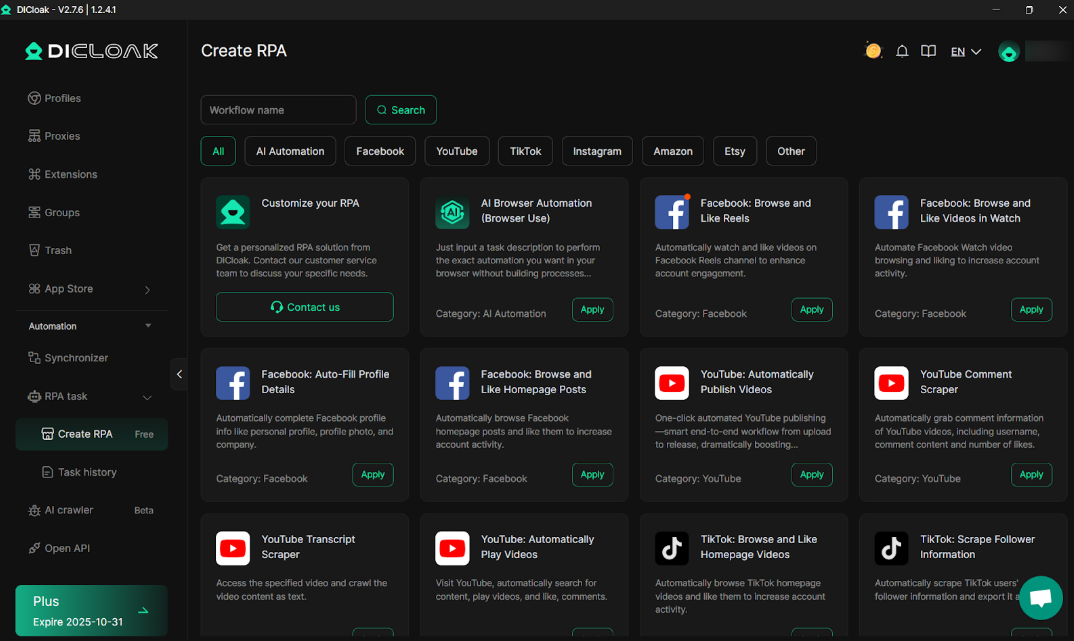
How Profile Management Works in DICloak Antidetect Browser
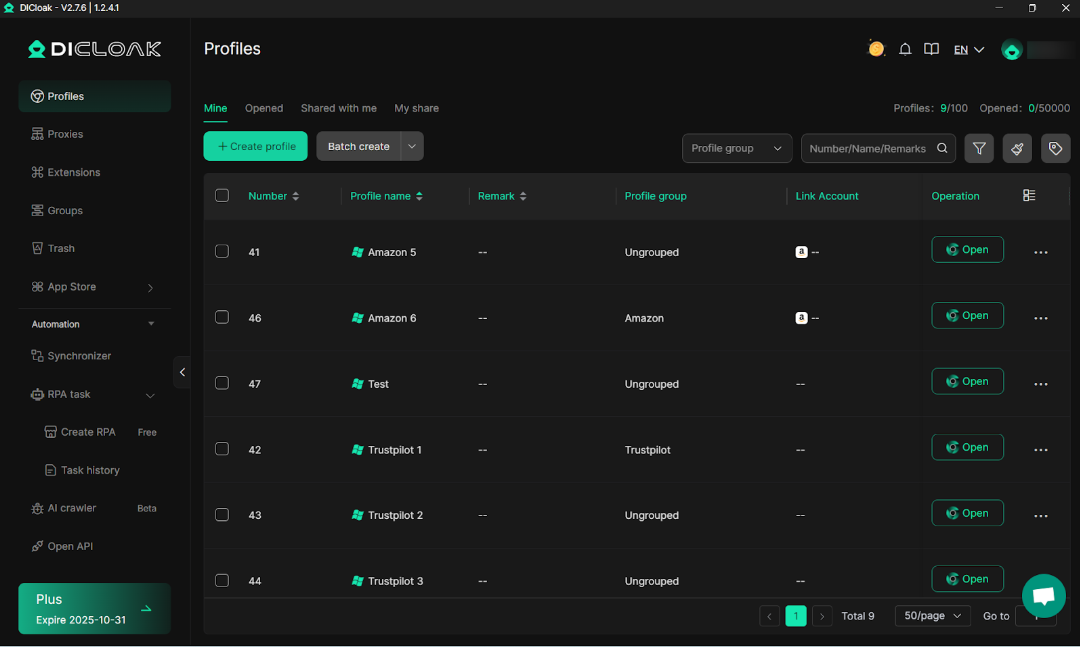
In DICloak, each account lives in its own profile — essentially, an isolated browser container. The user can create an unlimited number of profiles (within the plan limits) and flexibly configure their profiles. When creating a new profile, you can set its basic characteristics: a name (for convenience), a base fingerprint template (a set of device and browser parameters), and a proxy server for going online. Any proxy types are supported — HTTP(S), SOCKS5 — and you can specify a separate proxy for each profile to ensure the desired geo-location. After the profile is created, you get a fully isolated browser window where you can log in to the required service. DICloak will remember the entered logins, passwords, and cookies within this profile and, on the next launch, will automatically log into the account. This significantly saves time on re-authentication when working with dozens of accounts and reduces the risk of mistakes (such as typing the wrong password).
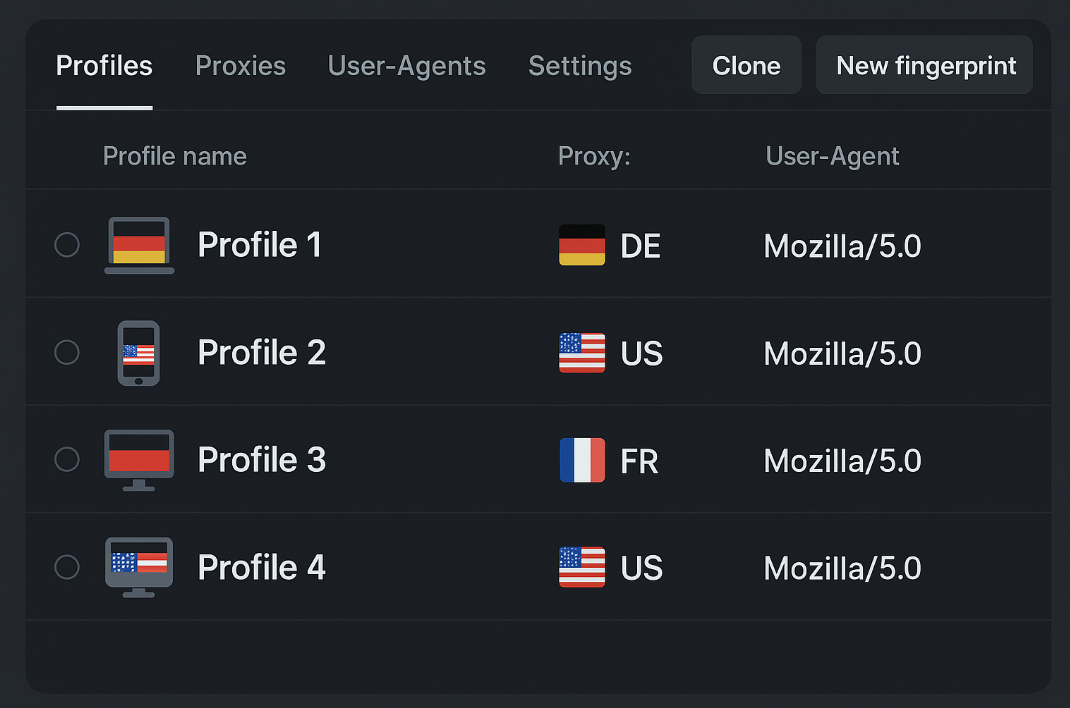
Each profile has extensive digital fingerprint settings. You can manually change individual browser fingerprint parameters. There is an option to generate a new fingerprint with one click — in that case DICloak will automatically select mutually consistent parameters. If needed, you can clone a profile, creating another one based on the existing one (with or without data). Profile import/export functions are also implemented — for example, you can upload a batch of settings for dozens of profiles from a file or transfer profiles from another anti-detect browser. Batch management simplifies working with large account pools, allowing you to group, quickly edit, or delete profiles in bulk.
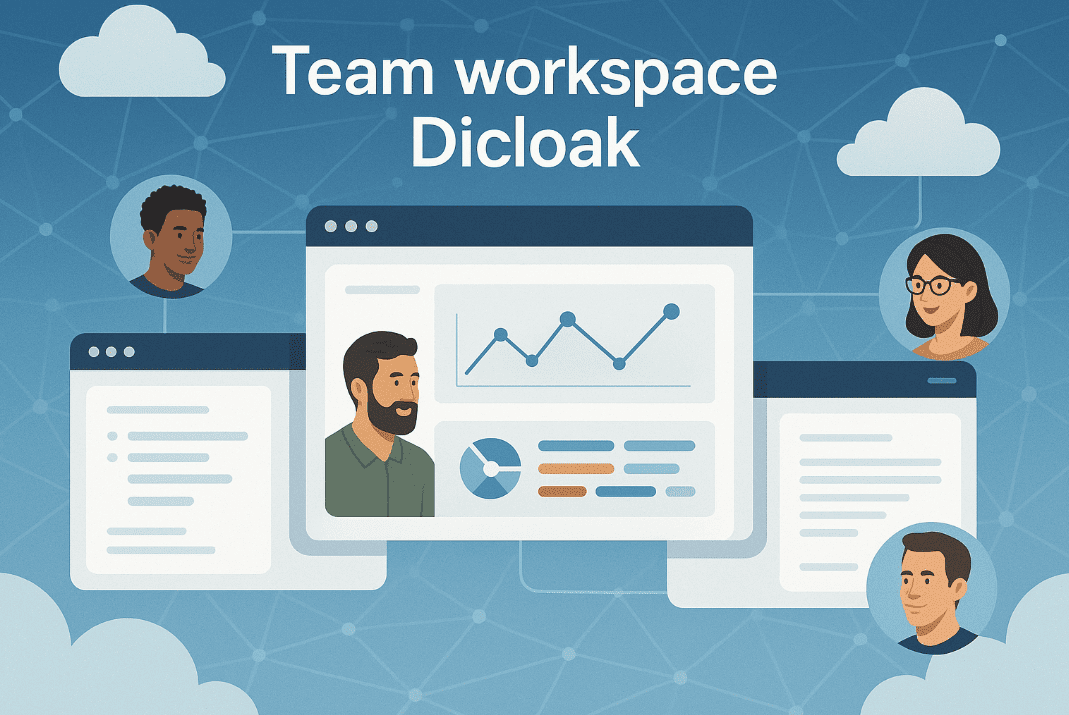
For advanced needs, DICloak provides profile groups — they can be used, for instance, to split accounts by projects or clients. Deleted profiles do not disappear permanently: they are moved to a recycle bin, from which they can be restored if necessary. A notable feature of the service is profile sharing and team collaboration. You can securely transfer a created profile to another DICloak user (for example, a colleague or partner) without revealing sensitive login data. Profile access rights are configurable: you can allow view-only, forbid cookie or password export, etc., so that confidential information remains under control when sharing. Team features also include shared profile usage: several team members can consecutively share the same account via DICloak, each from their own device, while the data is synchronized. The team owner has access to an audit log — it records key actions (for example, who and when launched the profile). This increases transparency and security when working with accounts collectively.
DICloak Antidetect Browser: Anonymity and Tracking Protection
DICloak pays particular attention to ensuring user privacy and anonymity. Due to complete isolation of profiles, the risk of account linkage is reduced — websites will not be able to determine that two of your profiles belong to the same person, because technically they will look like different devices from different parts of the world (provided you use proxies, of course). In addition, the browser allows you to block third-party trackers and scripts that attempt to collect a digital fingerprint. DICloak’s settings make it possible to disable WebRTC (to hide the real IP from leaks), spoof headers, disable password saving, block Canvas elements, and other features that are potentially dangerous for anonymity. Combined with a quality proxy server, this ensures a high level of stealth: your profile is assigned a plausible but fake identity that analytics systems perceive as an ordinary user. In practice, using DICloak can significantly reduce the risk of account linkage on platforms—especially when fingerprint parameters are properly configured.Of course, much also depends on the operator—you should follow basic best practices, such as avoiding logging into all accounts consecutively from the same IP and minimizing obvious overlaps in profile content. But the tool itself provides a strong foundation for preserving anonymity.
DICloak scales easily for serious workloads. A user can run many profiles simultaneously (within the plan limits) — the application is optimized for parallel operation of a large number of browser processes. For example, advanced plans allow opening dozens and hundreds of windows without artificial restrictions; the only bottlenecks will be your PC resources and the proxy bandwidth. The service is also aimed at large teams: there are plans with an unlimited number of members, where every team member gets their own login to access the shared profile pool. The team administrator can enforce security policies, including IP whitelisting for logging into the team account (so that outsiders cannot gain access). Thus, DICloak is suitable both for individual users who need maximum privacy and for large distributed teams jointly running hundreds of accounts without the risk of data leakage or compromise.
Supported Platforms and Integration Options of DICloak Antidetect Browser
The DICloak client is available on popular desktop platforms — Windows (7, 8, 10, 11) and macOS. The application is fairly lightweight: both 64-bit and 32-bit systems are supported, and hardware requirements are comparable to a regular Chrome browser. There are no mobile versions of the app, since mobile traffic is usually emulated via the desktop browser with appropriate User-Agent and screen size settings.
To integrate into existing workflows, DICloak provides many integration points. Thanks to support for the Chrome DevTools Protocol and compatibility with programming languages (via tools such as Puppeteer, Playwright, Selenium), DICloak fits into any pipelines, monitoring systems, or testing frameworks. Put simply, if you already have browser automation scripts, you can relatively easily retarget them to DICloak and gain anti-detect advantages without radically rewriting your code.
DICloak Anti-detect Browser Pricing Plans and Free Trial
DICloak’s basic functionality is available for free — you just need to sign up on the website and download the app. The free plan includes up to 5 profiles and allows up to 15 profiles launches per day. All main features are available in the free tier: fingerprint configuration, proxy connection, profile creation/editing, cloud data sync, etc. This is an excellent way to try the service in practice and see whether it fits your tasks. Free plan is provided without entering payment details — no bank card is required to start.
For more intensive use and team work, there are paid plans for any scale. The most popular is the Share Plan at $8/month, designed for small teams or experienced freelancers. It supports up to 50 profiles and up to 1000 launches per day, and the number of connectable extensions is increased to 5. This plan includes bulk profile operations (import/export, cloning), recovery of deleted profiles, as well as team access for three members (additional colleagues can be added for a symbolic fee).
For professional groups, there is the Share+ Plan ($138/month), which allows an unlimited number of team users to work with 200 profiles and an unlimited number of launches. It includes all the features of the Share Plan plus extended team features: shared use and transfer of profiles between members, simultaneous work of several members on different profiles (internal multitasking), etc.
All paid plans usually offer substantial discounts for annual payment, which helps save money for long-term use. Thus, the user can choose a plan according to their tasks and scale of work: from the free plan for experiments or a few accounts to a corporate solution for managing hundreds of profiles. As needs grow, you can always switch to a higher plan or purchase the required options — the system scales flexibly with your business.
Conclusion
DICloak Antidetect Browser is a versatile and robust solution for users who need to spoof their digital fingerprints and manage multiple accounts securely. It combines advanced anti-detect technology—which masks nearly all known browser fingerprints—with user-friendly design and extensive automation capabilities. Getting started is easy, thanks to ready-made presets, RPA templates, and comprehensive guides.