




Was this helpful?
How to Bypass Friendly Captcha

Tech builder focused on infrastructure, automation, backend systems, and scalable SaaS development
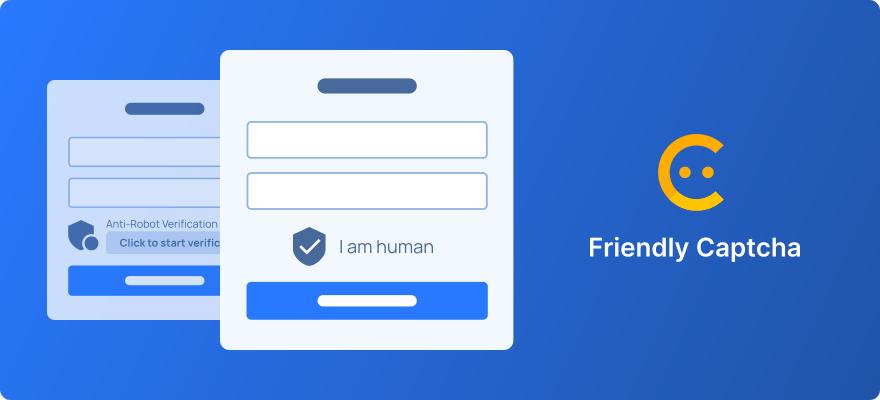
Friendly Captcha is gaining popularity due to its privacy-focused approach and zero user interaction. However, for scraper developers, QA testers, and automation engineers, it introduces new challenges.
In this guide, we'll walk through how to properly bypass both versions of Friendly Captcha (v1 and v2) using our API, avoiding common pitfalls and ensuring stable operation of your scripts.
What Is Friendly Captcha and How It Works
Friendly Captcha is a bot protection system based on cryptographic Proof-of-Work (PoW). Unlike traditional CAPTCHAs, it:
- Operates in the background without user interaction
- Does not use cookies, fingerprinting, or behavioral analysis
- Generates a token after completing a computational task on the client device
For automation, this means: to obtain a valid token, you must either emulate the PoW task execution or use a specialized solving service.
Why Use an API for Bypassing
Our API handles all the complexity of interacting with the CAPTCHA:
- Accepts page parameters (URL, site key, version)
- Emulates or solves the cryptographic task server-side
- Returns a ready-to-use token for form injection or callback invocation
This enables seamless CAPTCHA solving integration into any workflow: web scraping, QA testing, RPA processes.
Supporting Versions v1 and v2: Key Differences
Friendly Captcha is evolving, and correctly identifying the version on the target site is crucial.
| Feature | v1 | v2 |
|---|---|---|
| Script URL | cdn.jsdelivr.net/npm/friendly-challenge@* |
cdn.friendlycaptcha.com/v2/* |
| Architecture | Monolithic widget | Modular system with enhanced security |
| Initialization | Automatic on DOM load | Requires explicit call or configuration |
| When to Use | Legacy implementations (pre-2024) | New sites and updates |
Important: If the
versionparameter is omitted in the API request, the default isv1. This may cause errors on sites using v2.
How to Detect the Version on a Page
Open DevTools → Sources or Network tab and locate the script import:
html
<!-- Friendly Captcha v1 -->
<script src="https://cdn.jsdelivr.net/npm/friendly-challenge@0.9.1/widget.module.min.js" type="module"></script>

<!-- Friendly Captcha v2 -->
<script src="https://cdn.friendlycaptcha.com/v2/widget.module.min.js" type="module"></script>
Also check container attributes:
html
<div
  class="frc-captcha"
  data-apikey="2FZFEVS1FZCGQ9"
  data-callback="onCaptchaDone"
  data-solution-field-name="custom_solution_field"
></div>
The data-apikey value is your websiteKey for API requests.
API Task Types
We offer two task types depending on proxy requirements:
FriendlyCaptchaTaskProxyless
- No proxy configuration required
- Uses an internal pool of rotating proxies
- Ideal for most use cases
FriendlyCaptchaTask
- Allows specifying your own proxy (HTTP / HTTPS / SOCKS5)
- Required for geo-targeting or authenticated requests
- Requires
proxyType,proxyAddress,proxyPortparameters
Request Parameters
| Parameter | Type | Required | Description |
|---|---|---|---|
| type | String | Yes | FriendlyCaptchaTaskProxyless or FriendlyCaptchaTask |
| websiteURL | String | Yes | Full URL of the page containing the CAPTCHA |
| websiteKey | String | Yes | Value of the data-apikey attribute |
| version | String | No | "v1" or "v2" (default: v1) |
| moduleScript | String | No | URL of the type="module" script (improves reliability) |
| nomoduleScript | String | No | Fallback script URL for legacy browsers |
| proxyType / proxyAddress / proxyPort | String / Number | Yes* | Only for FriendlyCaptchaTask type |
* Proxy parameters are required only when using
FriendlyCaptchaTask.
API Request Examples
Request for Friendly Captcha v1 (Proxyless)
json
{
  "clientKey": "YOUR_API_KEY",
  "task": {
    "type": "FriendlyCaptchaTaskProxyless",
    "websiteURL": "https://example.com/login",
    "websiteKey": "2FZFEVS1FZCGQ9",
    "version": "v1",
    "moduleScript": "https://cdn.jsdelivr.net/npm/friendly-challenge@0.9.1/widget.module.min.js",
    "nomoduleScript": "https://cdn.jsdelivr.net/npm/friendly-challenge@0.9.1/widget.js"
  }
}
Request for Friendly Captcha v2 (With Proxy)
json
{
  "clientKey": "YOUR_API_KEY",
  "task": {
    "type": "FriendlyCaptchaTask",
    "websiteURL": "https://example.com/checkout",
    "websiteKey": "9XKPL2M4NQRS7T",
    "version": "v2",
    "moduleScript": "https://cdn.friendlycaptcha.com/v2/widget.module.min.js",
    "nomoduleScript": "https://cdn.friendlycaptcha.com/v2/widget.js",
    "proxyType": "http",
    "proxyAddress": "192.168.1.100",
    "proxyPort": 8080,
    "proxyLogin": "user",
    "proxyPassword": "pass"
  }
}
Full Workflow Example in Python
python
import requests
import time

API_KEY = "your_api_key"
WEBSITE_URL = "https://example.com/login"
WEBSITE_KEY = "2FZFEVS1FZCGQ9"

# Step 1: Create task
response = requests.post(
    "https://api.2captcha.com/createTask",
    json={
        "clientKey": API_KEY,
        "task": {
            "type": "FriendlyCaptchaTaskProxyless",
            "websiteURL": WEBSITE_URL,
            "websiteKey": WEBSITE_KEY,
            "version": "v2",
            "moduleScript": "https://cdn.friendlycaptcha.com/v2/widget.module.min.js",
            "nomoduleScript": "https://cdn.friendlycaptcha.com/v2/widget.js"
        }
    }
)
task_id = response.json()["taskId"]

# Step 2: Poll for result
while True:
    result = requests.post(
        "https://api.2captcha.com/getTaskResult",
        json={
            "clientKey": API_KEY,
            "taskId": task_id
        }
    )
    data = result.json()

    if data["status"] == "ready":
        token = data["solution"]["token"]
        break
    elif data["status"] == "processing":
        time.sleep(5)
    else:
        raise Exception(f"Error: {data.get('errorDescription')}")

print(f"Token received: {token[:30]}...")
How to Use the Obtained Token
After receiving the token, inject it properly into the page.
Option 1: Fill Hidden Input Field
javascript
// Standard field name
document.querySelector('input[name="frc-captcha-solution"]').value = 'YOUR_TOKEN';

// Or custom name from data-solution-field-name
const fieldName = document.querySelector('.frc-captcha')?.dataset?.solutionFieldName || 'frc-captcha-solution';
document.querySelector(`input[name="${fieldName}"]`).value = 'YOUR_TOKEN';
Option 2: Invoke Callback Function
If the container specifies data-callback="onDone":
javascript
if (typeof window.onDone === 'function') {
    window.onDone('YOUR_TOKEN');
}
Option 3: Submit the Form
javascript
// Native submission
document.querySelector('form')?.submit();

// Or via Selenium (Python)
# driver.find_element(By.CSS_SELECTOR, "form").submit()
Critical: Blocking the Native Widget
If the Friendly Captcha widget loads and initializes alongside your injected token, it may cause:
- Token conflicts and solution rejection
- Re-generation of the PoW challenge
- Triggering of additional protection mechanisms
Blocking Methods
Via Puppeteer (Node.js)
javascript
await page.setRequestInterception(true);
page.on('request', req => {
  if (req.url().includes('friendlycaptcha') && req.url().includes('widget')) {
    req.abort();
  } else {
    req.continue();
  }
});
Via Selenium + CDP (Python)
python
driver.execute_cdp_cmd('Network.setBlockedURLs', {
    "urls": ["*friendlycaptcha*widget*.js"]
})
driver.execute_cdp_cmd('Network.enable', {})
Via Playwright
python
await page.route("**/*friendlycaptcha*widget*.js", lambda route: route.abort())Troubleshooting Common Issues
| Issue | Possible Cause | Solution |
|---|---|---|
| Token rejected | Version mismatch | Specify correct version: "v2" and verify script URLs |
| Callback not triggered | Function not in global scope | Ensure onDone is accessible as window.onDone |
| Widget conflict | Widget loads in parallel | Block CAPTCHA script requests before token injection |
| Proxy error | Invalid connection details | Verify format, port, and proxy credentials |
Best Practices
Always specify version — don't rely on the default value
Provide moduleScript and nomoduleScript — improves accuracy and solving speed
Block the native widget — prevents conflicts and re-initialization
Use Proxyless when possible — simpler setup and more stable
Test in incognito mode — eliminates cache and browser extension interference
Handle API errors gracefully — check status and errorDescription in responses
Useful Links
Conclusion
Disclaimer: This article is for educational purposes only. When using CAPTCHA bypass methods, comply with the target sites' Terms of Service and applicable laws in your jurisdiction. Responsible testing and automation help improve web service quality but should never be used for malicious purposes.
Support
We value your feedback and are ready to assist with integration:
Typical response time: within 15 minutes during business hours.