




Reuse browser sessions with cookie import in Browser API

Tech builder focused on infrastructure, automation, backend systems, and scalable SaaS development
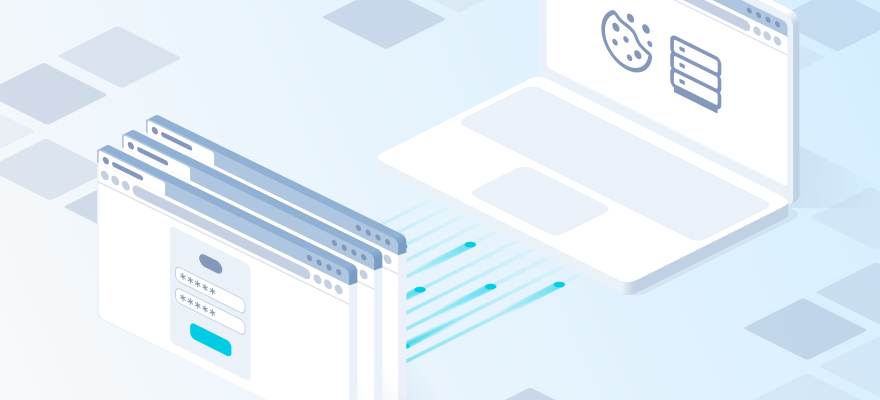
Browser automation typically starts from a clean session. That usually means logging in again, restoring site settings, navigating through the same pages, and rebuilding state before the actual task can begin.
Import cookies into Browser API profiles to reuse authenticated sessions, preserve browser state, and continue automation without repeating login and setup steps.
Browser API supports cookie import, making it easier to reuse authenticated sessions and preserve browser state between automation runs. Cookie Import API lets you prepare a browser profile with existing cookies before connecting. See the full setup, supported formats, request parameters, and examples in the Browser API documentation.
With the new cookie import API, you can import existing cookies directly into a Browser API profile and reuse an already prepared session. Imported cookies are staged for the selected profile and applied automatically the next time you connect to that same profile through CDP.
This allows you to preserve browser state between automation runs, move existing sessions into Browser API, and prepare a profile before Playwright, Puppeteer, or another CDP client connects.
Start automation without rebuilding the session
Many browser automation workflows spend unnecessary time recreating state that already existed.
A typical run may require the browser to:
- open the login page
- enter account credentials
- complete authentication steps
- restore user preferences
- navigate to the required page
- only then start the actual automation
If valid session cookies already exist, these steps do not need to be repeated.
With cookie import, you can prepare the required browser state separately and reuse it when a new Browser API session starts.
Instead of handling session preparation inside every browser run, you can prepare the state once and reuse it whenever automation starts.
What you can do with cookie import
Cookie import is useful anywhere automation needs to start from an existing browser state rather than from a clean profile.
Reuse authenticated sessions
Import cookies from an existing authenticated session and continue working directly with pages that require login.
Run recurring browser automation
For scheduled or repeated tasks, session state can be reused instead of rebuilding the same environment on every run.
Move sessions between environments
Cookies exported from another browser, extension, or profile-management tool can be imported into a Browser API profile and used in a new automation environment.
Prepare profiles before connecting
A Browser API profile can be prepared with the required cookies before Playwright, Puppeteer, or another CDP client connects.
Maintain separate browser states
Different Browser API profiles can keep different cookies and session states, which is useful when automation works with multiple independent environments.
Import cookies into a Browser API profile
To import cookies, send a POST request to:
text
https://cb-api.2captcha.com/cookies/import-cookiesSpecify the Browser API profile together with the cookies you want to import.
For example:
bash
curl -X POST "https://cb-api.2captcha.com/cookies/import-cookies" \
  -H "Content-Type: application/json" \
  -d '{
    "login": "LOGIN",
    "password": "PASSWORD",
    "profileId": "PROFILE_ID",
    "cookies": [
      {
        "name": "session",
        "value": "abc",
        "domain": ".example.com",
        "path": "/",
        "secure": true,
        "httpOnly": true,
        "sameSite": "Lax",
        "expires": 1893456000
      }
    ]
  }'
The profile can be identified in two ways:
- with
login,password, andprofileId - with a single
connectionUri
These methods are mutually exclusive. If you use separate credentials, all three fields are required.
Cookies can be passed either as structured data through cookies or as exported text through cookiesText.
A successful request returns information about the imported cookies and selected profile:
json
{
  "cookiesStaged": 1,
  "customerId": "10001",
  "profileId": "PROFILE_ID"
}
The cookiesStaged field shows how many cookies were accepted and prepared for the profile. It does not mean they have already been applied inside a browser session.
When imported cookies become active
A successful import prepares the cookies for the selected profile, but does not modify an already running browser session.
The cookies become active automatically when you make the next CDP connection to the same profile.
If the profile is already being used by another session, the import may return profile_locked. Finish the active session before retrying the request.
Reuse sessions between automation runs
One practical workflow is carrying browser state from one automation run into another.
Instead of reproducing the same login and setup sequence every time, the session can be prepared beforehand and reused by later automation runs.
This also separates session preparation from the automation that consumes the session. One process can obtain or store the cookies, while another uses them later through Browser API.
Import cookies from existing tools
Cookie import API supports several common cookie formats, so existing exports can often be used directly.
| Format | Typical source |
|---|---|
| JSON array | CDP, exports, manually prepared JSON |
{"cookies": [...]} |
GoLogin, AdsPower, Dolphin, Octo |
{"data": [...]} |
AdsPower and similar tools |
| Cookie-Editor / EditThisCookie | Browser extensions |
Netscape cookies.txt |
Multilogin, Octo, GoLogin and other export tools |
The service detects the cookie format from the supplied content. Even when using Netscape cookies.txt, the HTTP request itself remains JSON and the exported file content is passed as a string through cookiesText.
For example:
json
{
  "login": "LOGIN",
  "password": "PASSWORD",
  "profileId": "PROFILE_ID",
  "cookiesText": "# Netscape HTTP Cookie File\n.example.com\tTRUE\t/\tTRUE\t1893456000\tsession\tabc\n"
}
This allows cookie exports from existing browser environments and profile-management tools to be moved into Browser API without manually rebuilding every cookie object.
Use connectionUri instead of separate credentials
If you already have the Browser API connection string for a profile, you can pass it directly instead of specifying login, password, and profileId separately.
json
{
  "connectionUri": "ws://LOGIN-zone-scraping_browser-country-us-pid-PROFILE_ID:PASSWORD@cb.2captcha.com:9222",
  "cookies": [
    {
      "name": "session",
      "value": "abc",
      "domain": ".example.com"
    }
  ]
}
The API also accepts a shortened connection string without the scheme and host.
This can simplify integration when the profile connection URI is already available in your application.
Cookie fields and validation
Each cookie must contain:
namevalue- either
domainorurl
Optional fields include:
pathsecurehttpOnlysameSiteexpiresexpirationDatesessionhostOnlysourcePort
For sameSite, supported values include None, Lax, and Strict. The value no_restriction is also accepted and converted to None.
Types also matter. Boolean values must be real JSON booleans, and timestamps must be numbers rather than strings.
What to keep in mind
There are several important limitations:
- imported cookies are applied on the next CDP connection
- they are not injected into an already running browser session
- the maximum request size is 8 MB
- the two authentication methods cannot be mixed
- cookies must use one of the supported formats and valid field types
If a request fails, Cookie import API returns a machine-readable error field and may also return a detail message.
Common errors include:
invalid_requestinvalid_jsoninvalid_cookieauth_failedprofile_locked- storage-related errors
The complete error list is available in the Cookie import API documentation.
Start using cookie import API
Cookie import API lets you start Browser API automation from a prepared browser state instead of rebuilding the same session on every run.
Export or save the cookies you already have, import them into the required Browser API profile, and then connect to that profile through CDP. The imported state will be available when the new browser session starts.
Use it to reuse authenticated sessions, move browser state between environments, and make recurring Playwright, Puppeteer, and other CDP-based workflows more direct.
Import your cookies, connect to the profile, and continue automation from the session you already have.